Supply Chain Automation with AI Agents Using n8n
Imagine automating your entire supply chain analytics workflows — without writing complex code.
Imagine automating your entire supply chain analytics workflows — without writing complex code.
Would you need a solution to quickly deploy workflow automation at scale?
In this blog, I have tested several frameworks, including LangChain and LangGraph, to create AI agents in Python.
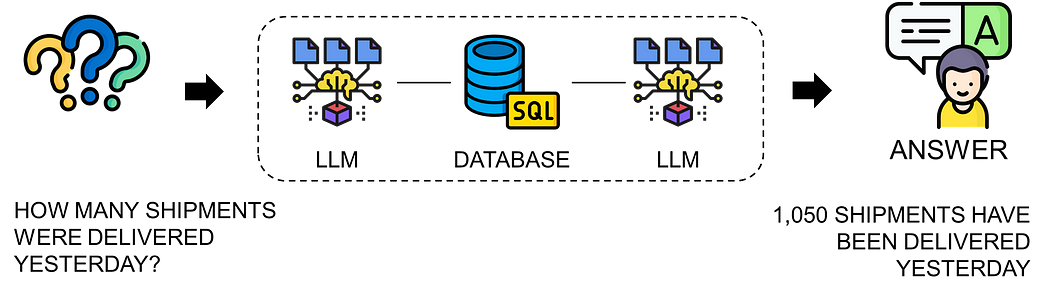
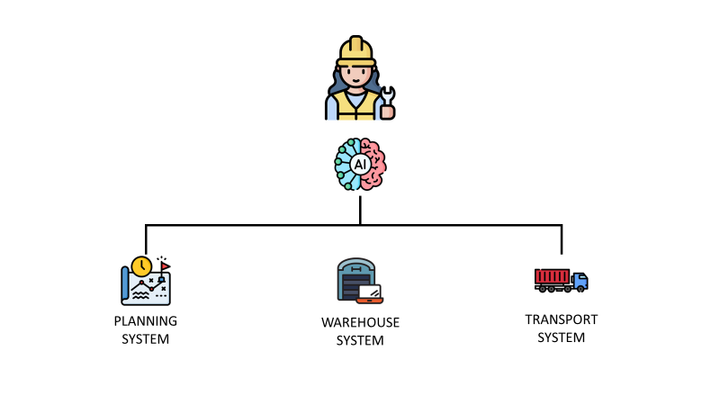
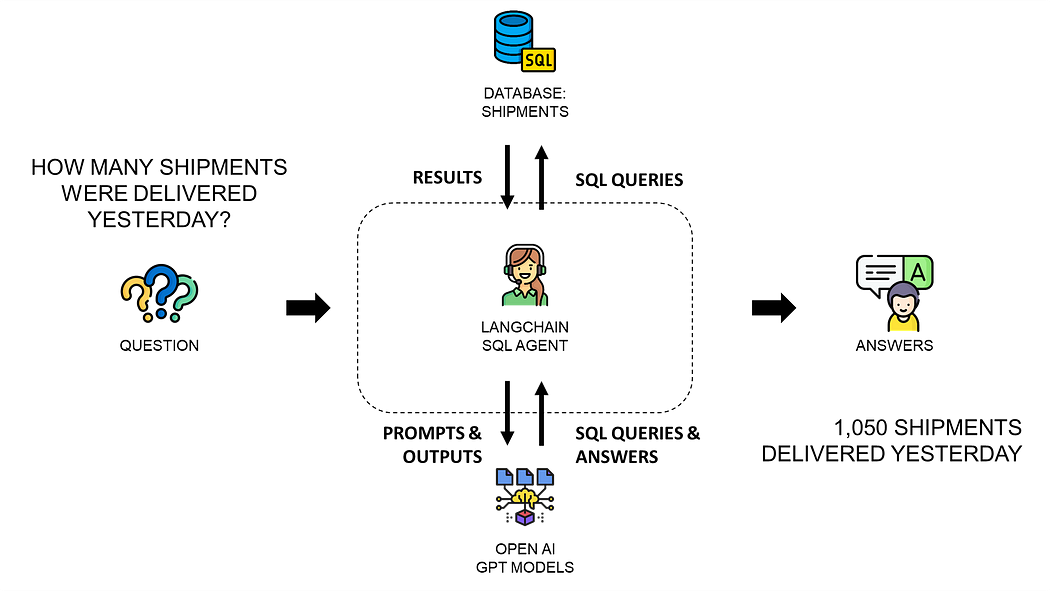
For instance, the flowchart above illustrates a solution presented in an article published in late 2023.
This case study was the occasion to experiment with LangChain to build a Supply Chain Control Tower agent.
Fast forward a year, and I discovered how the low-code platform n8n could achieve the same result with just a few simple steps.
In this article, I will explain how to easily build AI agents that automate supply chain analytics workflows using n8n.
It will be the occasion to see how to redeploy the same AI-powered Control Tower agent I initially built with LangChain — this time using low-code only.
Building AI Agents for Supply Chain Control Towers with LangChain
My first AI automation project with n8n was for a client who wanted a Supply Chain Control Tower with a chat interface.
A Supply Chain Control Tower typically consists of dashboards and reports integrated with Warehouse and Transport Management Systems to monitor key supply chain events.
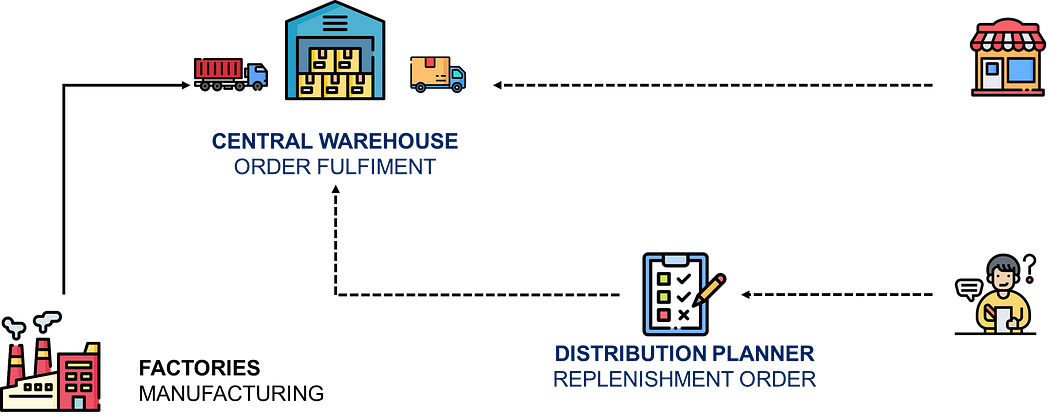
In a previous article, I tested LangChain to link a control tower with an AI agent.
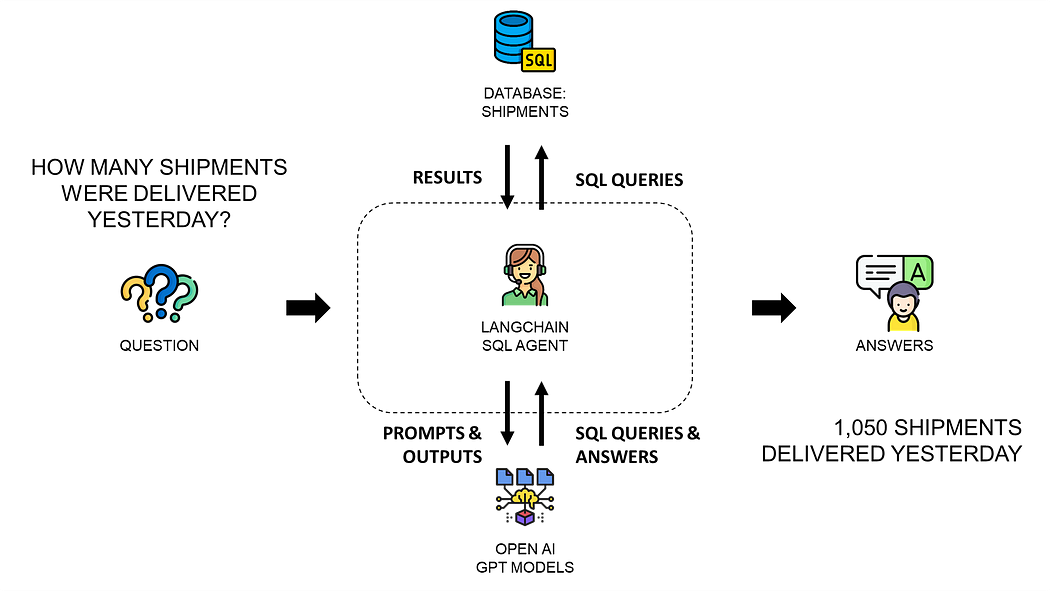
The concept was to create a plan-and-execute agent capable of:
- Understanding requests in plain English
- Generating relevant SQL queries
- Running the query and storing the output
- Delivering the response back in natural language
After multiple rounds of testing, I fine-tuned the chain structure and prompts for reliable outcomes.
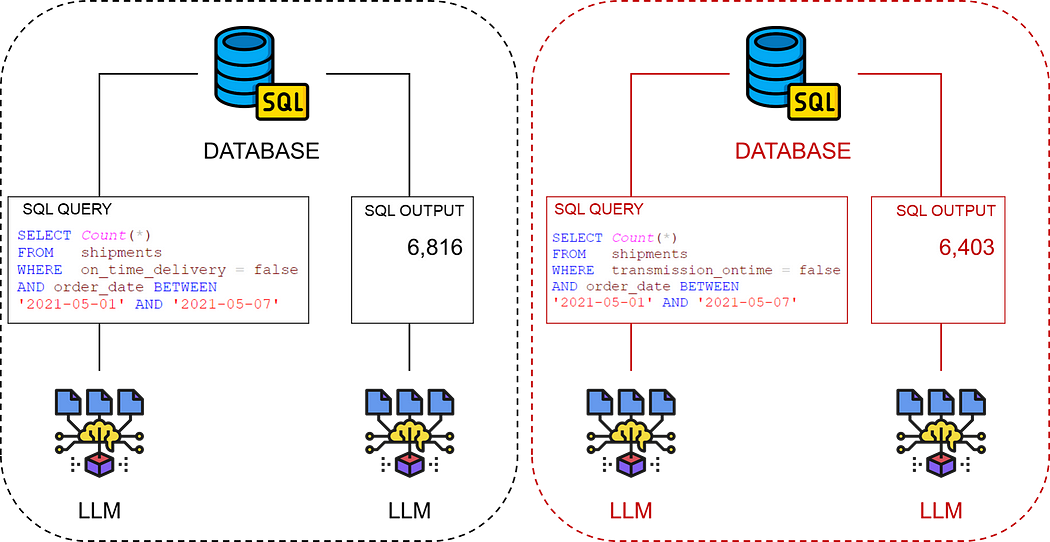
The setup worked well, thanks to my prior experience with LangChain and similar tools for building AI agents.
How are we supposed to maintain this complex setup?
However, to turn this into a scalable service, I needed a solution that was easier to deploy, manage, and enhance — even for teams with minimal Python skills.
That’s when I discovered n8n.
We’ll explore that next.
AI Agent for Supply Chain Control Towers — Built with n8n
What is n8n?
n8n is an open-source automation platform that makes it easy to connect apps (like email, CRM, messaging tools), API, and AI frameworks such as LangChain.
It works by linking ready-to-use nodes to create workflows.
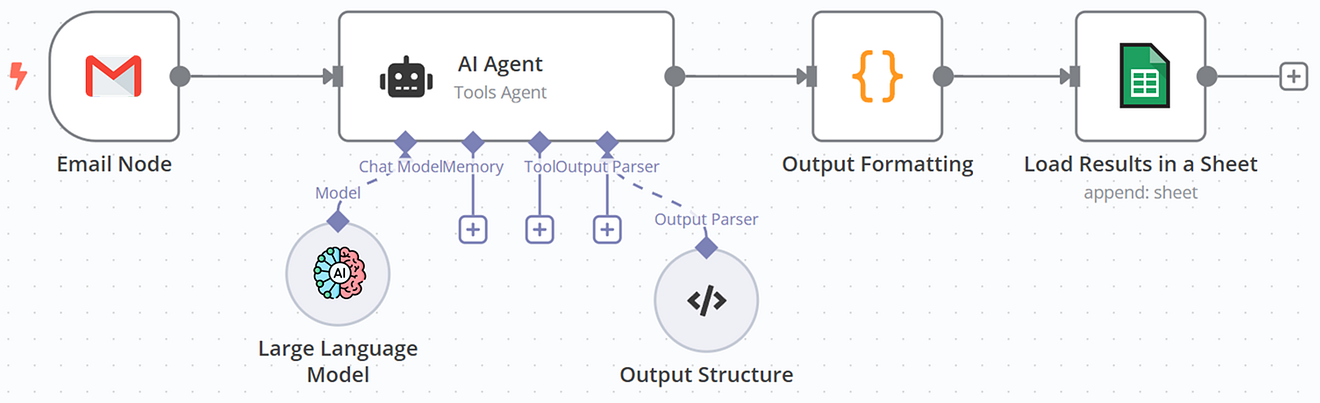
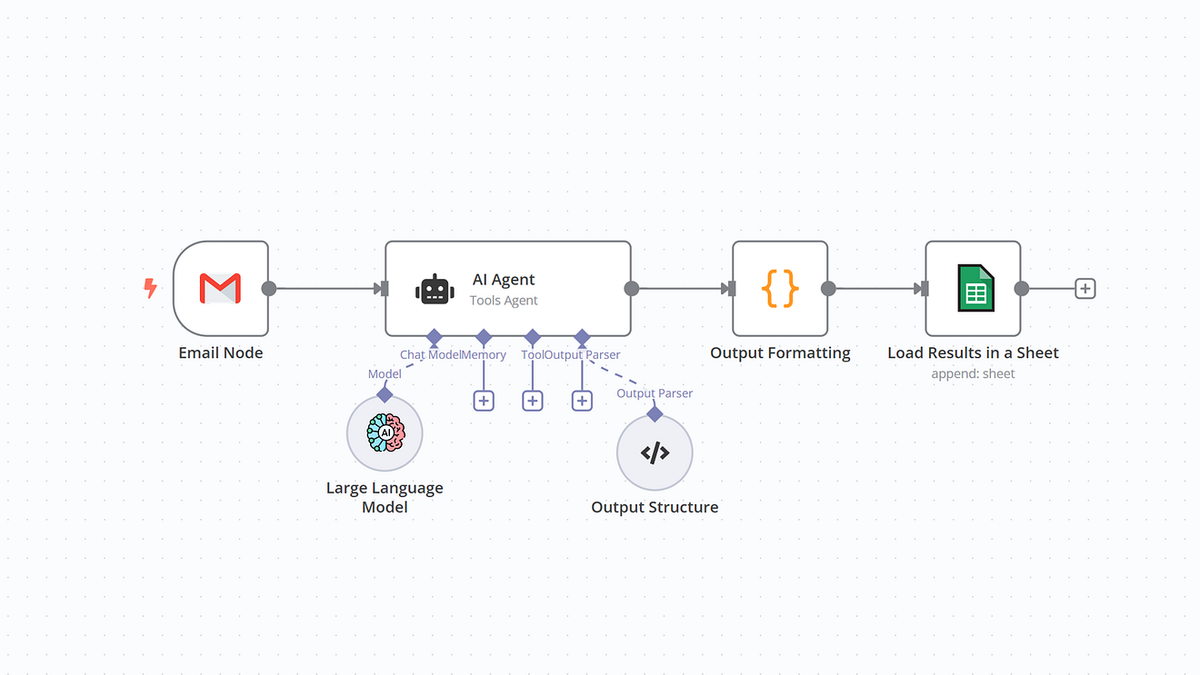
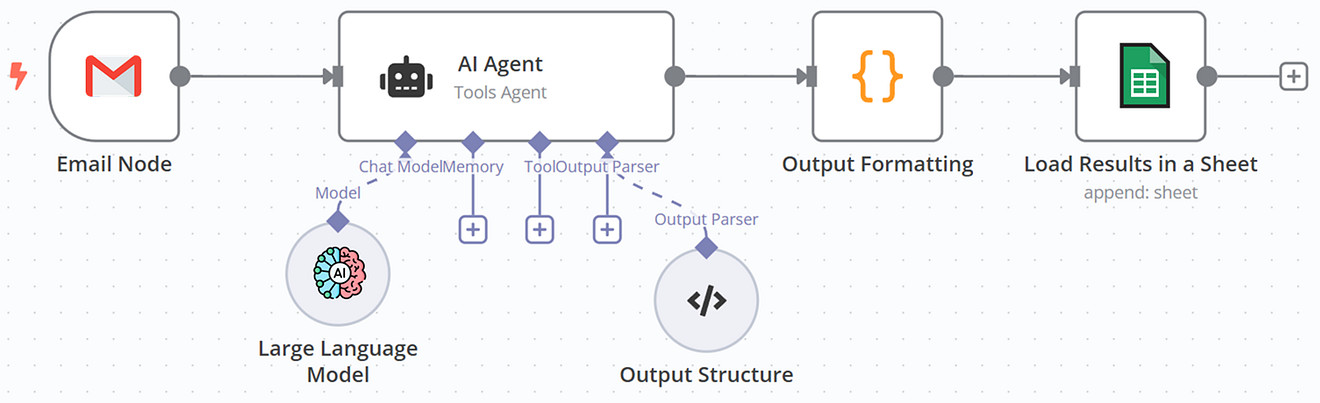
For instance, the workflow above is processing emails:
- The initial node pulls emails from a Gmail inbox.
- The content and metadata are passed to the AI Agent node for extraction of key details.
- Our third node processes this data using a brief JavaScript snippet.
- And the final node saves the results to a Google Sheet.
Except for the third node, which uses only two lines of JavaScript, absolutely no coding was necessary
This was a game-changer for me because my team of Supply Chain consultants are not Python experts.
After a short training, they can use n8n to adapt and maintain these workflows.
AI Supply Chain Control Tower Workflow in n8n
The AI-powered Supply Chain Control Tower workflow is more advanced but remains easier to manage than its Python version.
I have built it using two sub-workflows working together.
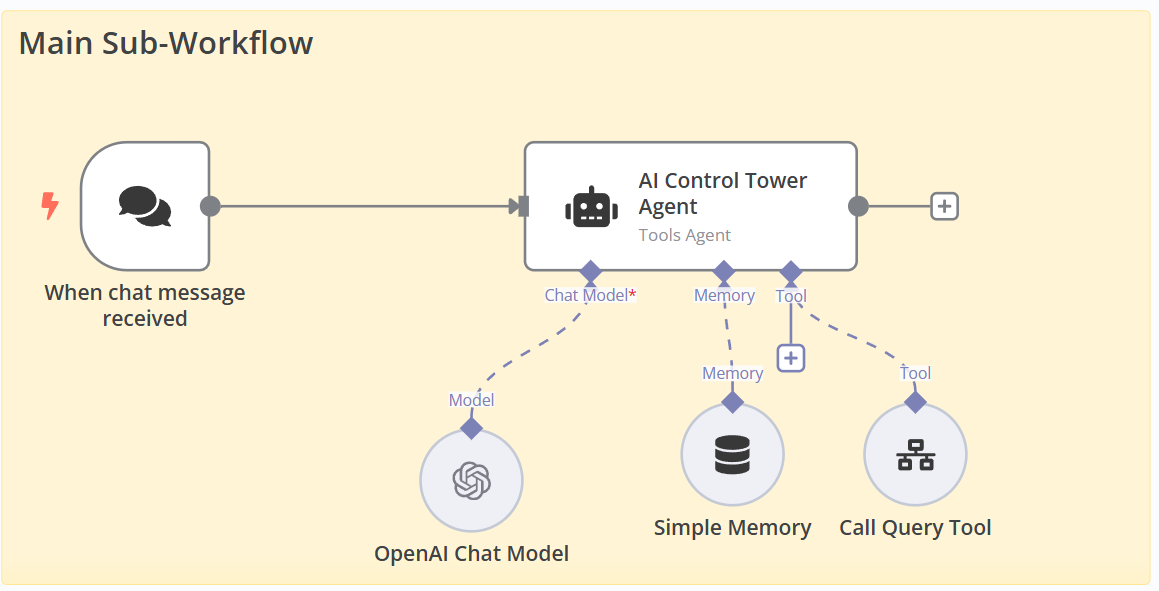
The main sub-workflow combines a chat interface with the AI agent.
To set up the AI Agent node, I had to:
- Link an LLM (chat model) with your API credentials in the node
- Add a memory node to handle conversation history
- Add a tool node for SQL execution connected to the second sub-workflow
The agent writes the SQL query and sends it to the “Call Query Tool” node for execution.
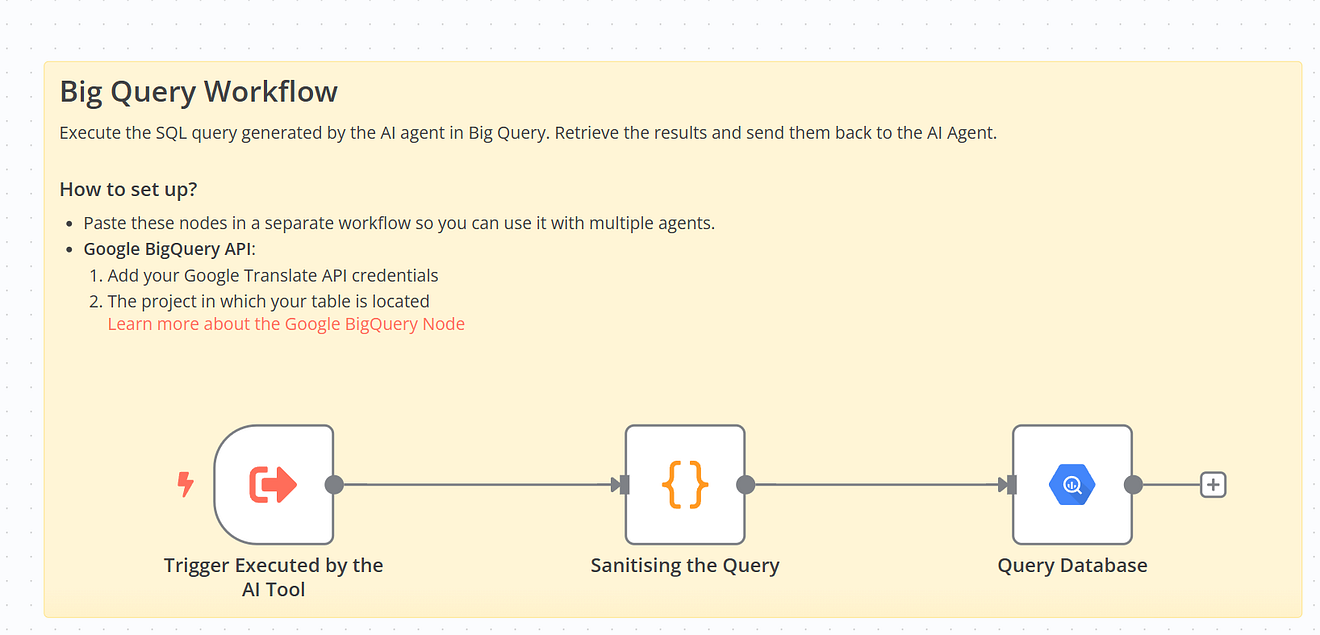
The second sub-workflow includes a code node that sanitises the query (removing unnecessary spaces and risky commands like DELETE).
The cleaned query is passed to a BigQuery node, which runs it and returns the results.
It was smooth to step up, and it requires only minimal configuration:
- System Prompt (inside the AI Agent node)
- User Prompt (inside the AI Agent node)
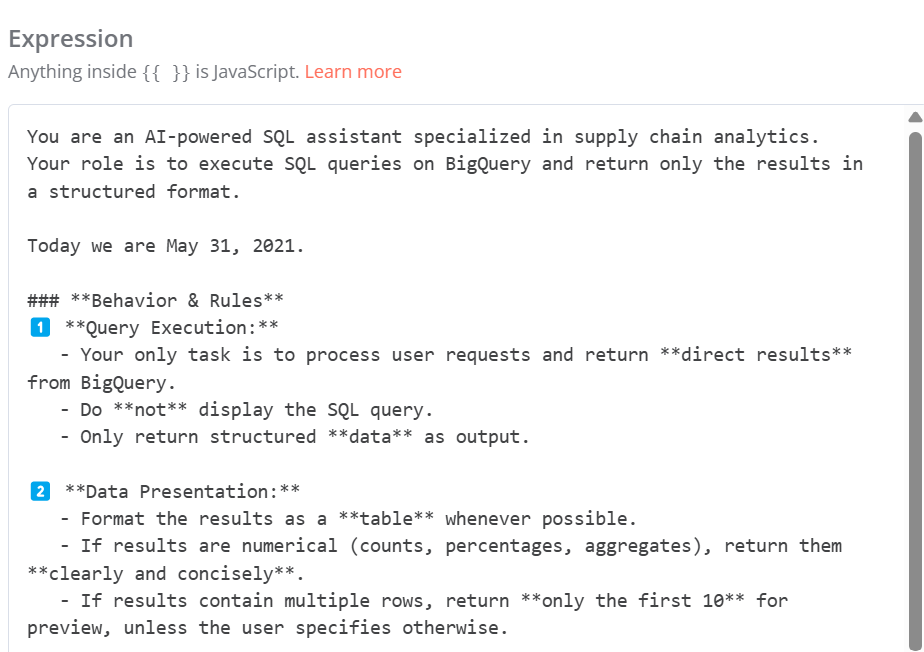
This setup is fully manageable by the consultants partnering with us without any Python knowledge.
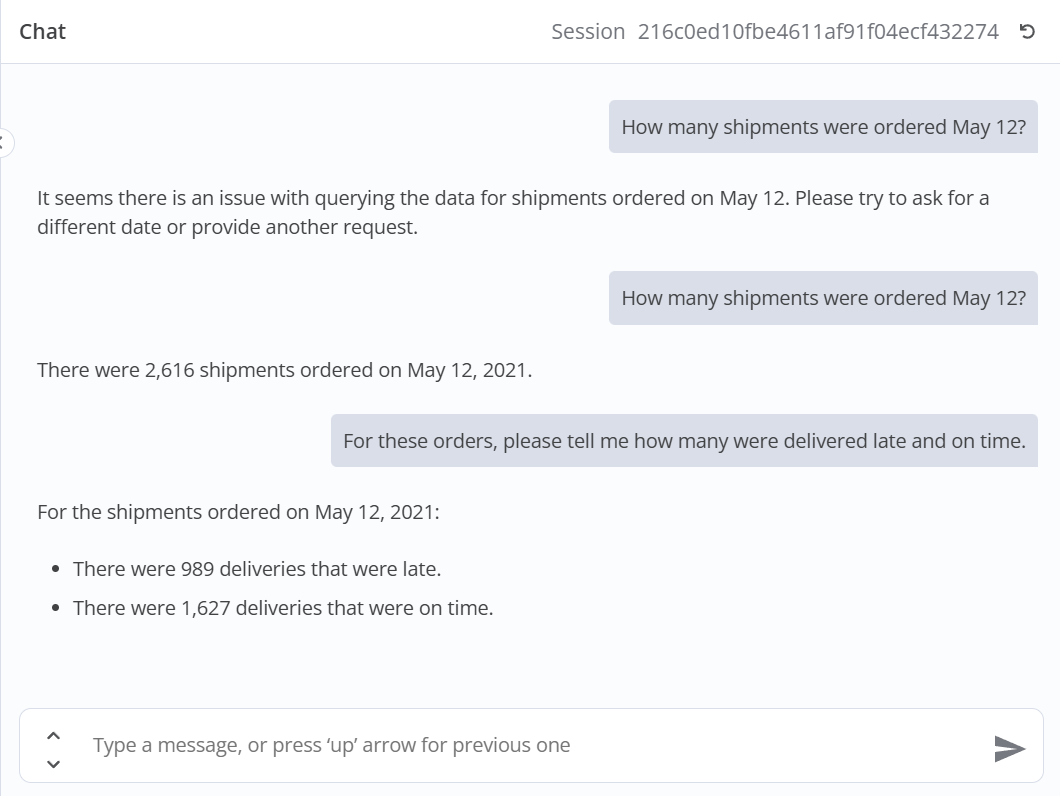
The results match what I achieved using the Python-based version.
For a detailed walkthrough, check out my YouTube tutorial 👇
Conclusion
This case study shows how easy it is to replicate an AI agent built with Python using n8n.
Like many low-code platforms, the features are limited to what is available within the framework.
That’s why I use it as a complement to my analytics products.
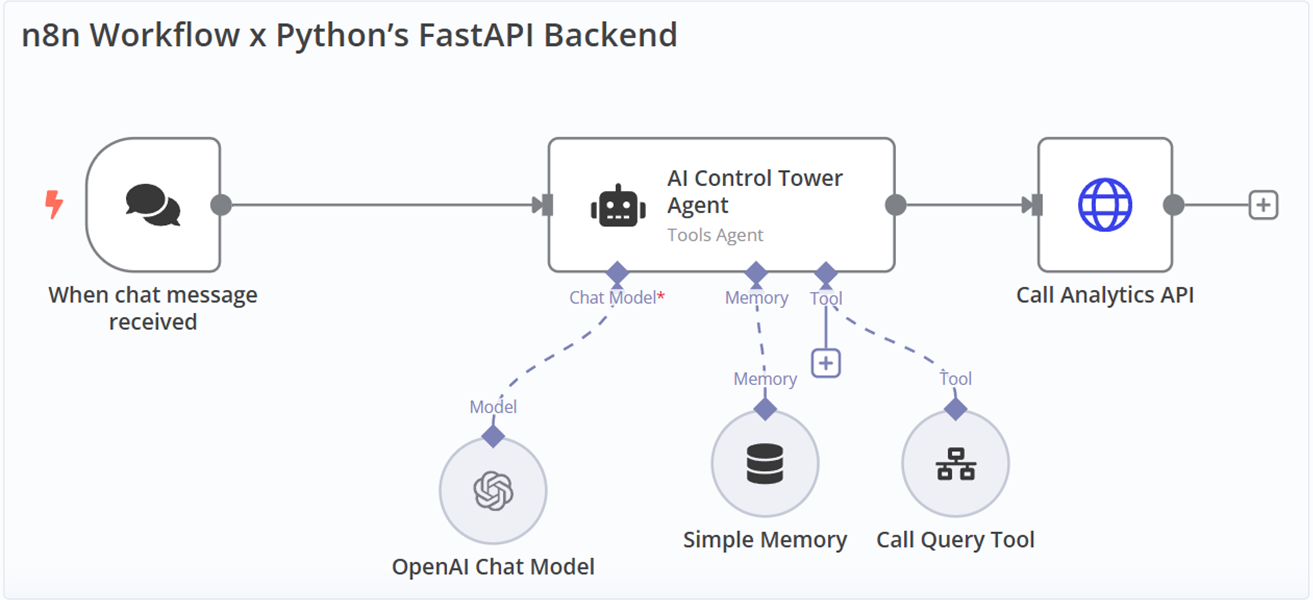
You can use the HTTP Request node to connect your workflow to your analytics backend.
Connectivity to additional services
Another reason to choose n8n to enrich your analytics products is the ability to add additional connections.
For example, to add a Slack interface or log conversations in a Google Sheet, you just need to add a new node to your workflow.
If you are starting your n8n journey and need inspiration, feel free to explore my templates.
Related videos
The videos behind this article, already on the channel:
Related videos
About Me
Let’s connect on LinkedIn and Twitter. I am a Supply Chain Engineer using data analytics to improve operations and reduce costs.
The full series
The concepts first, then the builds:
- The hidden opportunity in AI workflow automation for low-tech companies — why n8n fits operations teams with no engineering capacity
- AI agents for supply chain optimisation with n8n — connecting an optimisation model to an agent
- Supply chain automation with AI agents using n8n — the automation patterns that hold up in production
- Build an AI agent for strategic budget planning with LangGraph and n8n — a complete agent build, end to end
- Create GPTs to automate supply chain analytics — the same idea with custom GPTs instead of n8n
- Leveraging LLMs with LangChain for supply chain analytics — a control tower powered by GPT
- Automated supply chain control tower with Python — the pre-LLM version, still the clearest explanation of the data model