The Hidden Opportunity in AI Workflow Automation with n8n for Low-Tech Companies
How to use n8n with multimodal AI and optimisation tools to help companies with low data maturity accelerate their digital transformation.
Every day on professional social media, someone claims their “AI agent” will run your entire business while you sleep.
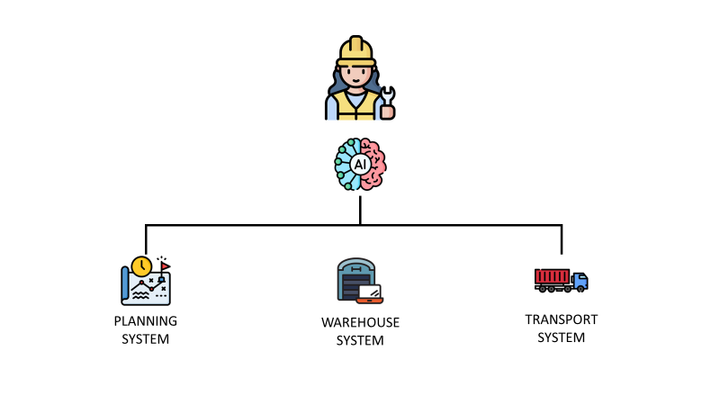
It is as if they can deploy AGI across factories, finance teams, and customer service using their "secret" n8n template.
My reality check is that many companies are still struggling to collect and harmonise data to follow basic performance metrics.
Logistics Director: “I don’t even know how many orders have been delivered late, what do you think your AI agent can do?”
And these advertised AI workflows, which are often not ready for production, can unfortunately do nothing to help with that.
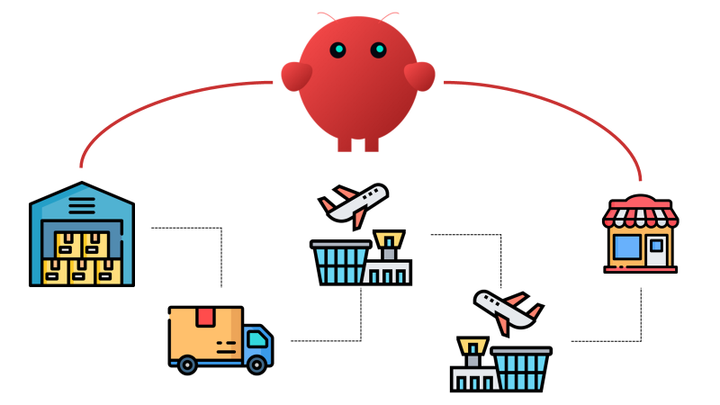
Therefore, I adopt a more pragmatic approach for our supply chain projects.
Instead of promising an AGI that will run your entire logistics operations, let us start with local issues hurting a specific process.
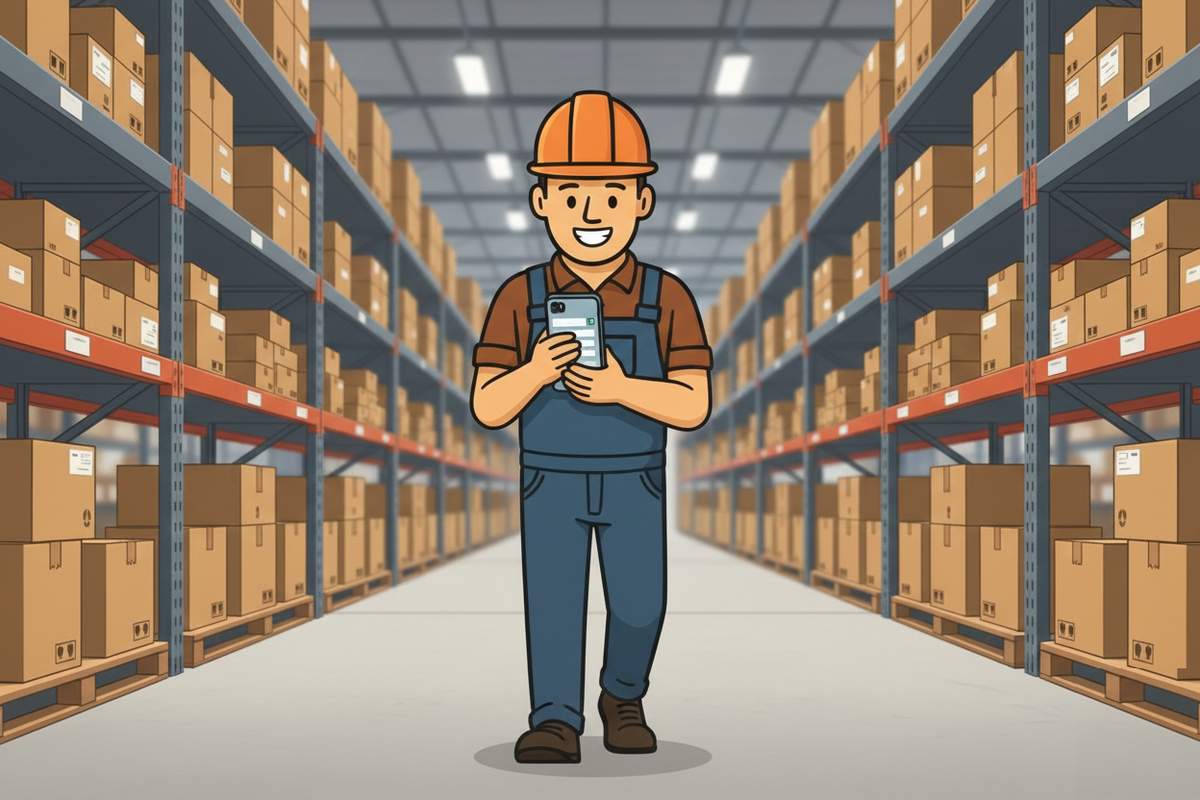
Logistics Director: "I want our operators to get rid of papers and pens for order preparation and inventory cycle count."
Most of the time, it involves data extraction, repetitive data entry, and heavy admin work using manual processes that are inefficient and lack traceability.
For example, a customer was using paper-based processes to organise inventory cycle counts in its warehouse.
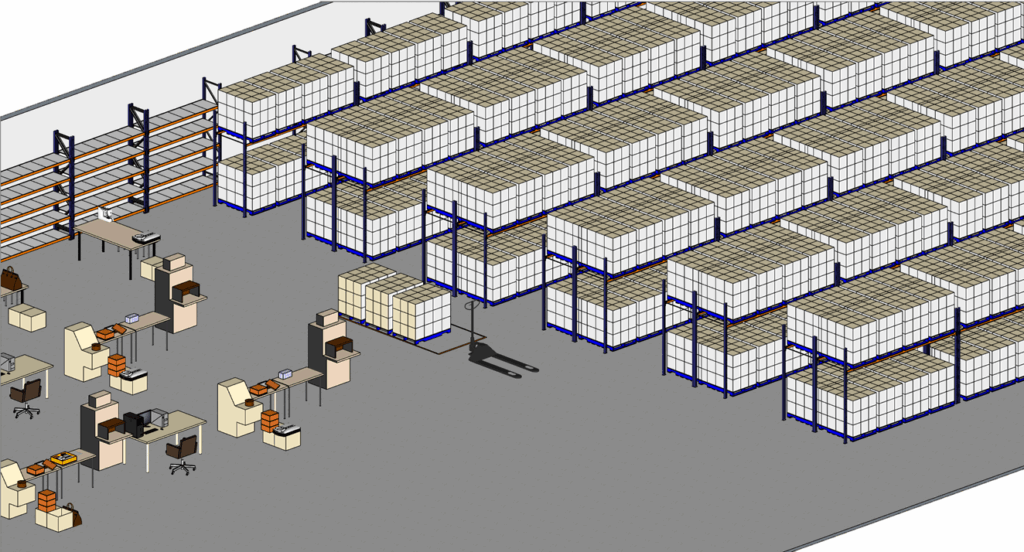
Imagine an inventory controller who prints an Excel file listing the locations to check.
Then he walks through the alleys and manually records the number of boxes at each location on a form like the one below.
At each location, the operator must pause to record the actual quantity and confirm that the area has been checked.
We can (and must) digitalize this process easily!
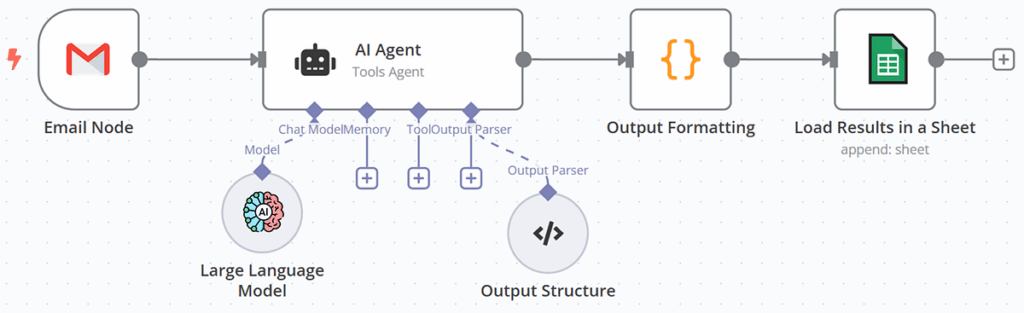
This is what we did with a Telegram Bot using n8n, connected to a GPT-powered agent, enabling voice commands.
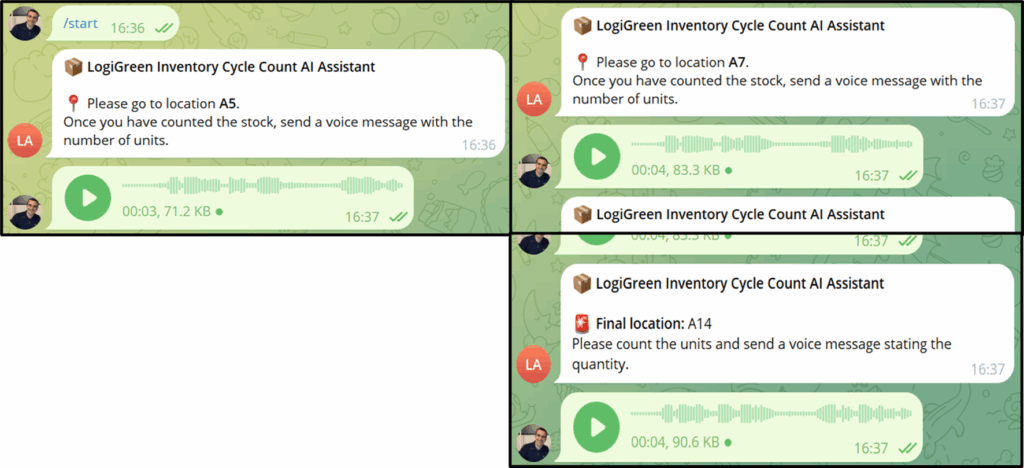
Our operator now only needs to follow the bot's instructions and use audio messages to report the number of boxes counted at each location.
This local digitalisation becomes the first concrete step in the digital transformation of this low-data-maturity company.
We even added logging to improve the traceability of the process and report productivities.
In this article, I will use two real-world operational examples to show how n8n can support SMEs' supply chain digital transformations.
The idea is to use this automation platform to implement simple AI workflows that have a real impact on operations.
For each example, I will provide a link to a complete tutorial (with a GitHub repository containing a template) that explains in detail how to deploy the solution on your instance.
Vocalisation of Processes
In logistics and supply chain operations, it is always about productivity and efficiency.
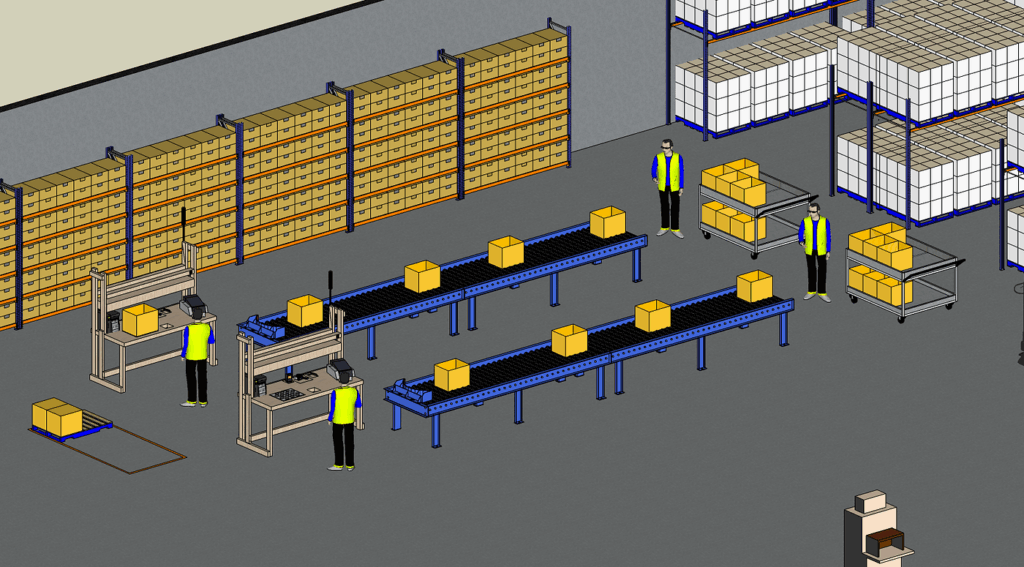
Supply Chain Solution Designers analyse processes to estimate the optimal productivity by analysing each step of a task.
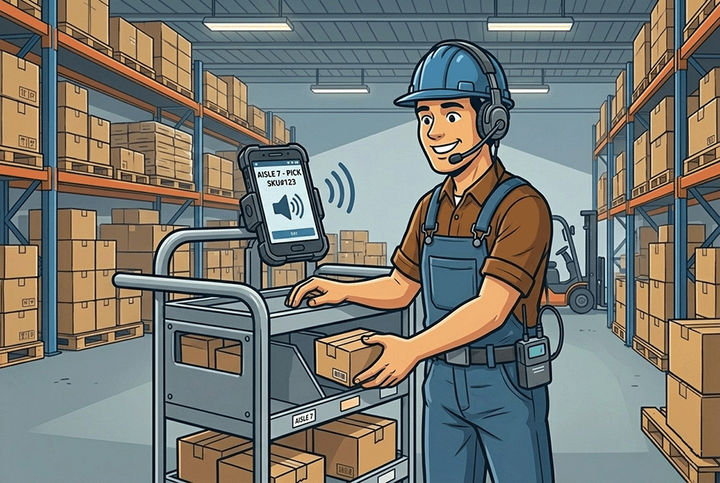
A breakthrough was the implementation of voice-picking, also called vocalisation.
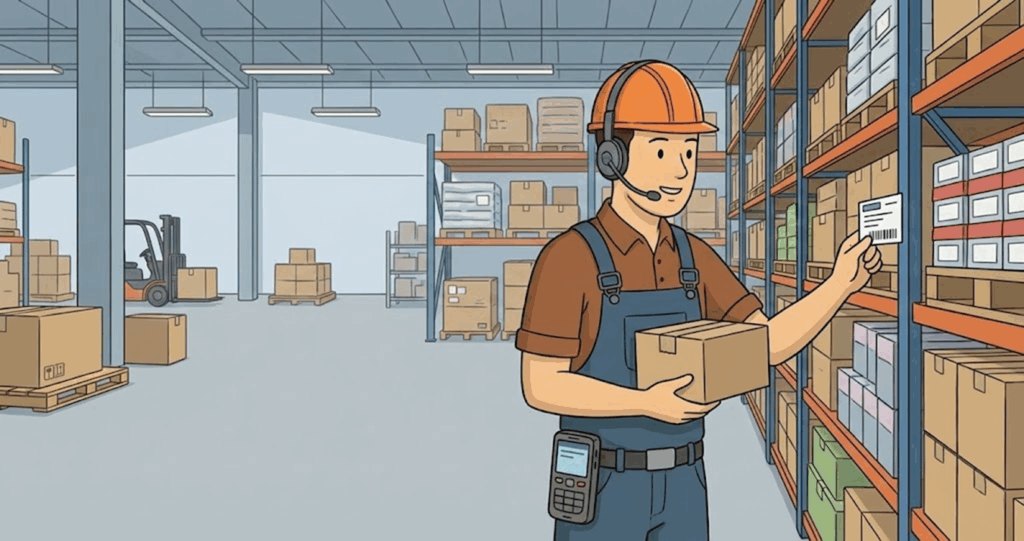
The idea is to have the operators communicate with the system by voice to receive instructions and provide feedback with interactions like this one:
- Voice Picking: "Please go to location A, pick five boxes."
- Operator: "Location A, five boxes picked."
- Voice Picking: "Please go to location D, pick six boxes."
- Operator: "Location D, six boxes picked."
This boosts operators' productivity, as they now need only focus on picking the correct quantities at the proper locations.
But these solutions, typically provided by Warehouse Management System vendors, may be too expensive for small operations.
This is where we can use n8n to build a lightweight solution powered by multimodal generative AI.
Vocalisation of Inventory Cycle Count
I want to come back to the initial example to show you how I used Text-To-Speech (TTS) to digitalise a paper-based process.
We support the stock management team at a medium-sized fashion retail warehouse.
Regularly, they conduct what we call inventory cycle counts:
- They randomly select storage locations in the warehouse
- They extract from the system the inventory level in boxes
- They check at the location the actual quantity
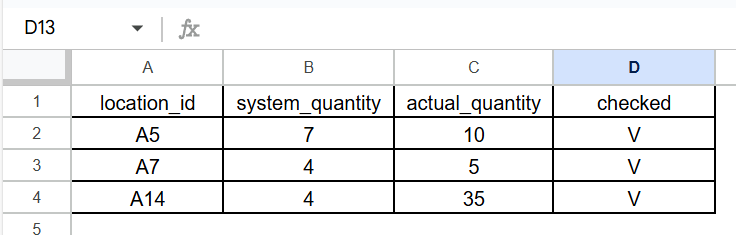
For that, they use a spreadsheet like this one.
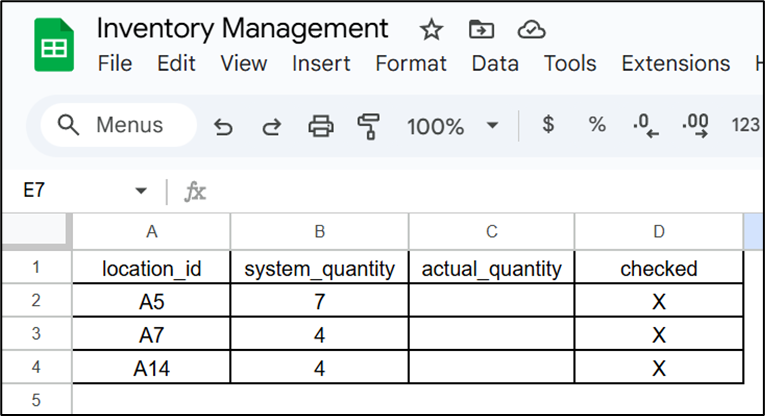
Their current process is highly inefficient because the stock counter must manually enter the actual quantity.
We can replace printed sheets with smartphones using Telegram bots orchestrated by n8n.
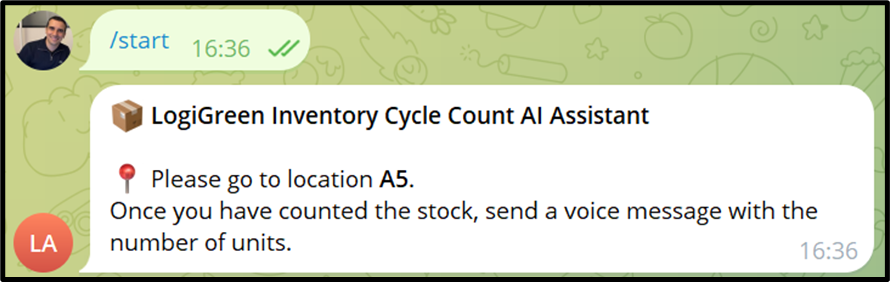
The operator starts by connecting to the bot and initiating the process with the /start command.
Our bot will take the first unchecked location and instruct the operator to go there.
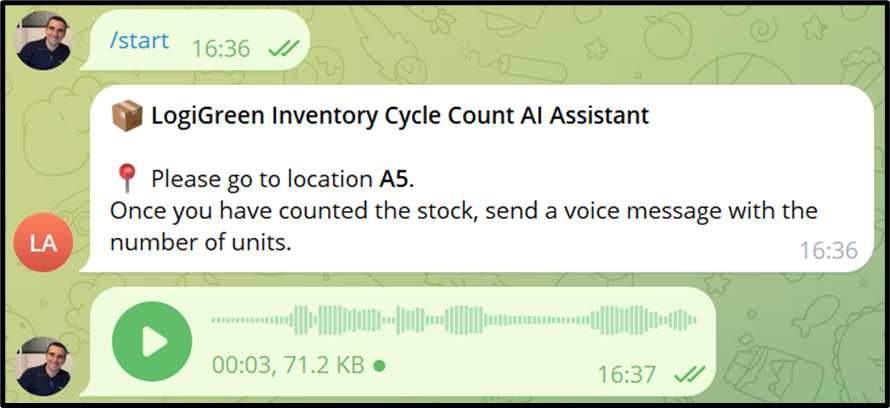
The operator arrives at the location, counts the number of boxes, and issues a vocal command to report the quantity.
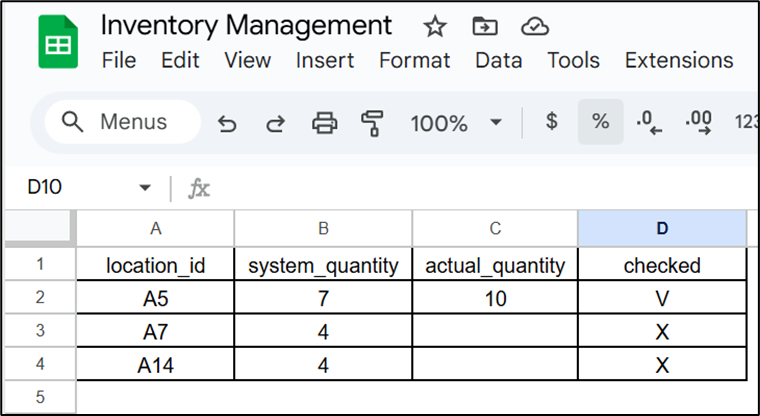
The quantity is recorded, and the location is marked as checked.
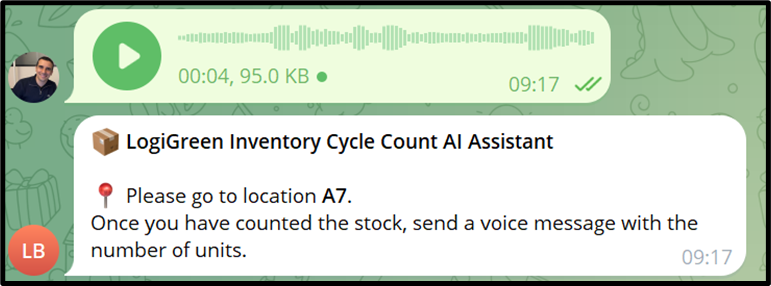
The bot will then automatically ask the operator to move to the next unchecked location.
If the operator's vocal feedback contains an error, the bot asks for a correction.
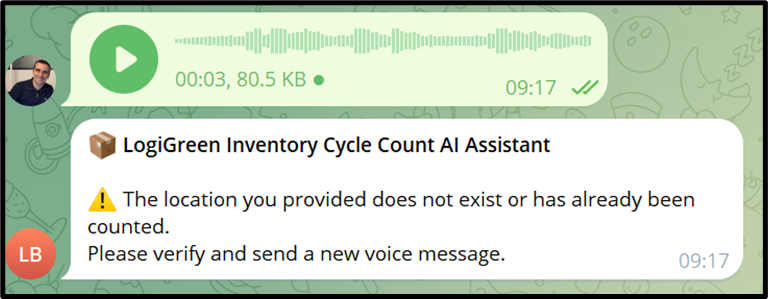
The process continues until the final location is reached.
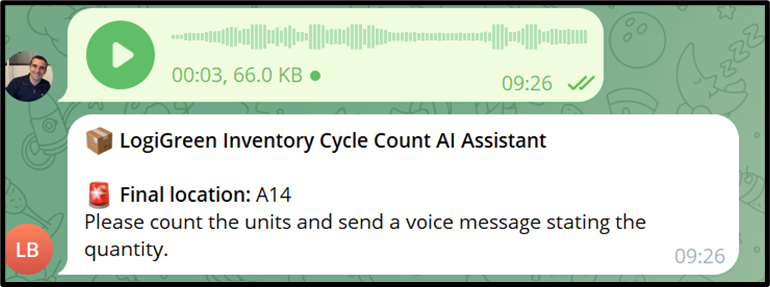
The cycle count is completed without using any paper!
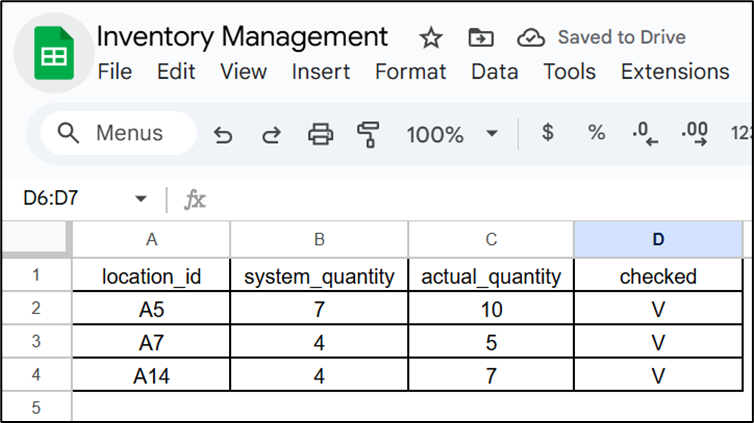
This lightweight solution has been implemented for 10 operators with cycle counts orchestrated using a simple spreadsheet.
How did we achieve that?
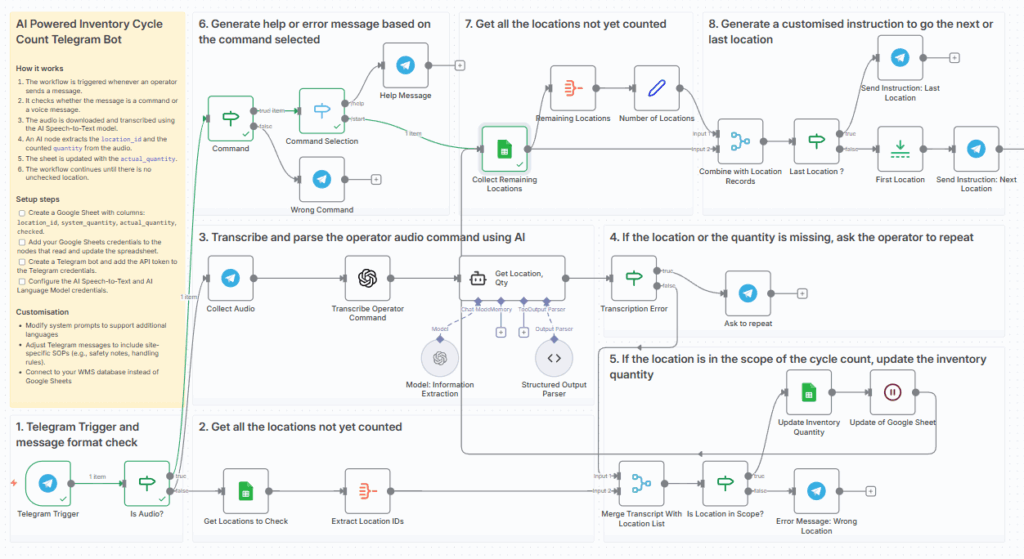
Let us have a look at the workflow in detail.
Vocalise Logistics Processes with n8n
A majority of the nodes are used for the orchestration of the different steps of the cycle count.
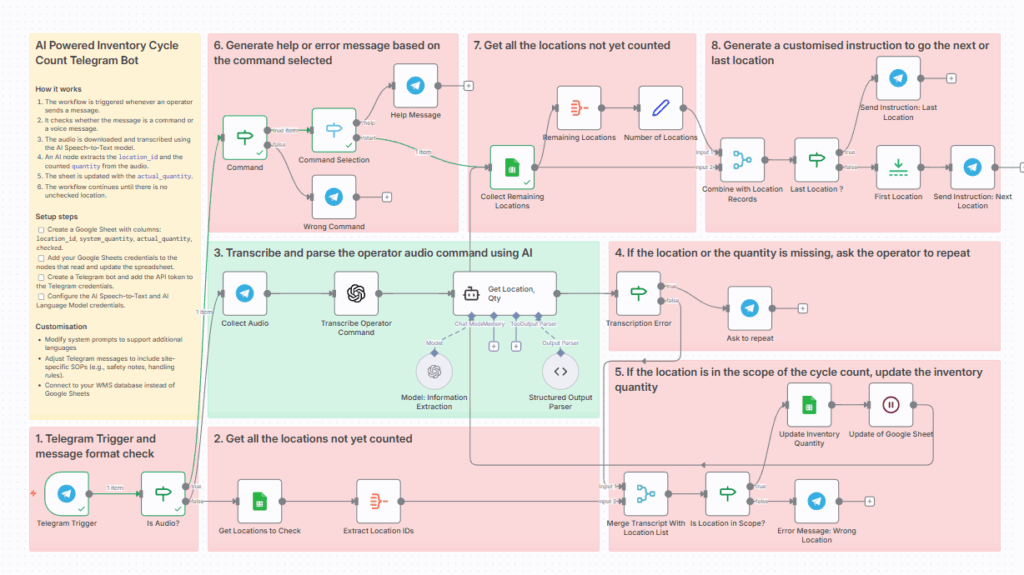
First, we have the nodes to generate the instructions:
- (1) is triggering the workflow when an operator sends a message or an audio
- (6) guides the operator if he asks for help or uses the wrong command
- (7) and (8) are looking at the spreadsheet to find the next location to check
For that, we don't need to store state variables as the logic is handled by the spreadsheet with "X" and "V" in the checked column.
The key part in this workflow is in the green sticker
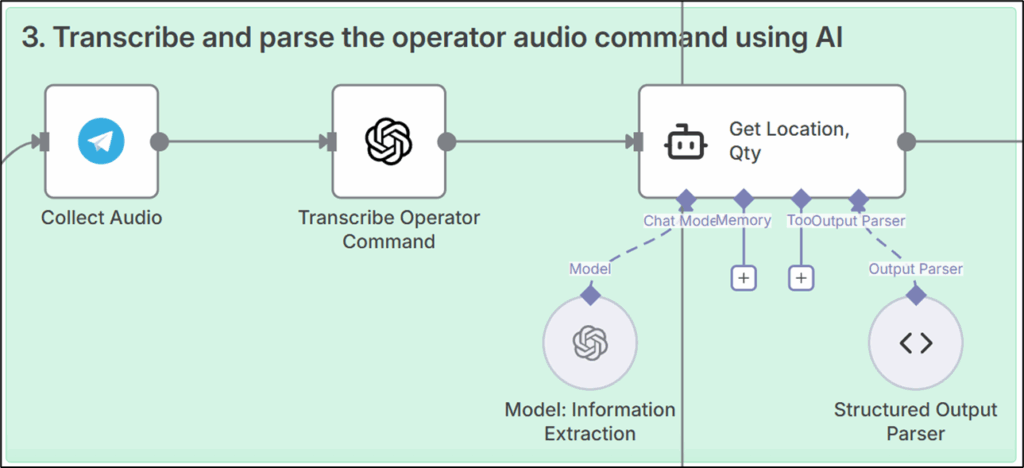
The vocalisation is handled here as we collect the audio file in the Collect Audio node.
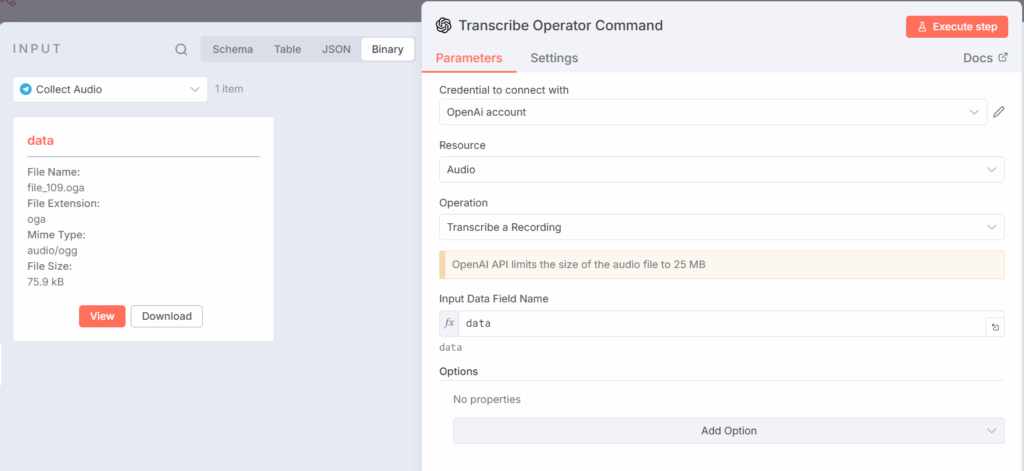
This file is sent to OpenAI's Audio Transcription Node in n8n, which provides a written transcription of our operator's vocal command.
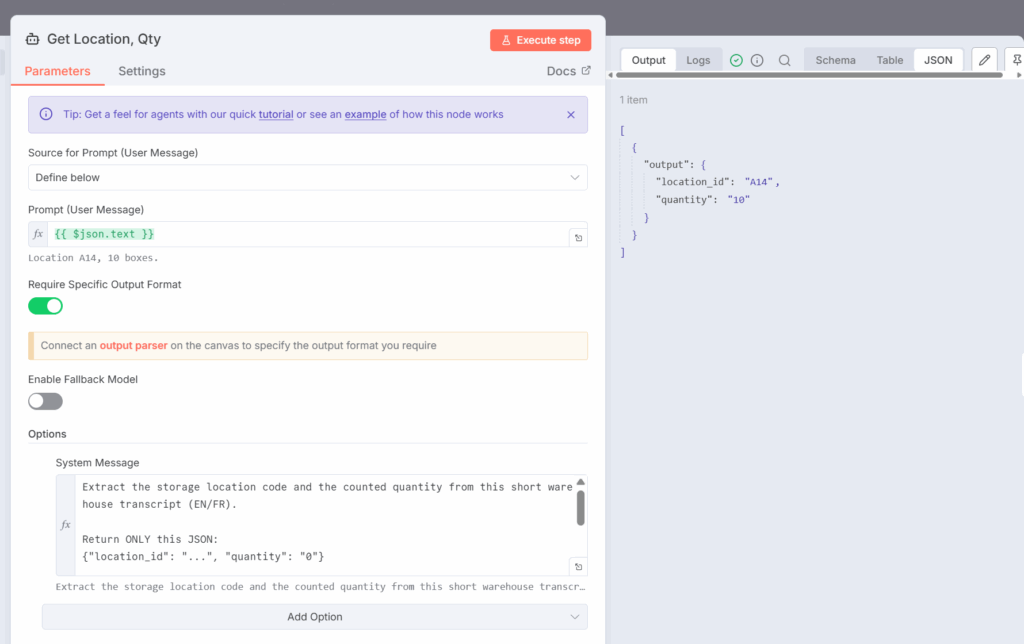
As we cannot guarantee that all operators will follow the message format, we use this OpenAI Agent Node to extract the location and quantity from the transcription.
[SYSTEM PROMPT]
Extract the storage location code and the counted quantity from
this short warehouse transcript (EN/FR).

Return ONLY this JSON:
{"location_id": "...", "quantity": "0"}

- location_id: string or null (location code, e.g. "A-01-03", "B2")
- quantity: string or null (convert words to numbers, e.g. "twenty seven" → 27)

If a value is missing or unclear, set it to null.
No extra text, no explanations.
[
{
"output": {
"location_id": "A14",
"quantity": "10"
}
}
]Thanks to the Structured Output Parser, we get a valid JSON with the required information.
This output is then used by the blocks (4) and 5)
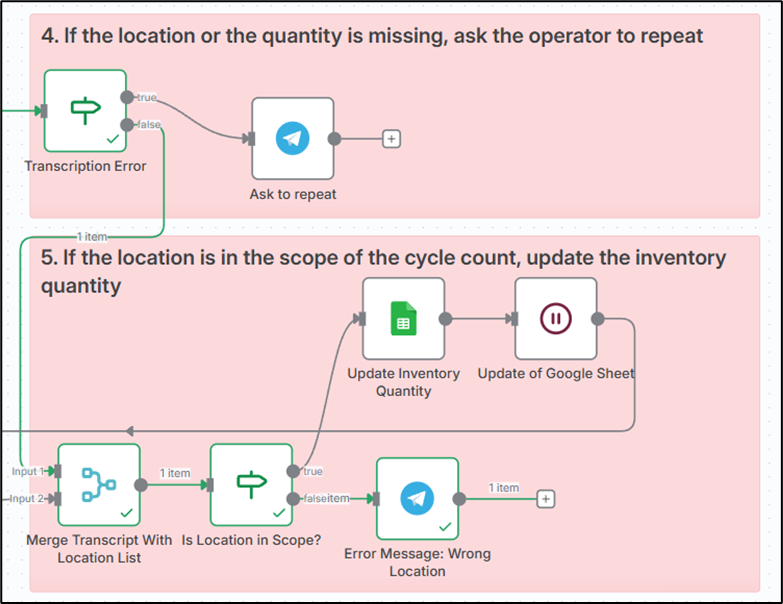
- (4) will ask the operator to repeat if there is an error in the transcription
- (5) is updating the spreadsheet with the quantity informed by the operator if locations and quantities are valid
We have now covered all potential scenarios with a robust AI-powered solution.
Vocalisation of processes using TTS
With this simple workflow, we improved stock counters' productivity, reduced errors, and added logging capabilities.
We are not selling AGI with this solution.
We solve a simple problem with an approach that leverages the Text-To-Speech capabilities of generative AI models.
For more details about this solution (and how you can implement it), you can have a look at this tutorial (+ workflow)
https://youtu.be/_EOJ3M7APsQ
What about image processing?
In the following example, we will explore how to use LLMs' image-processing capabilities to support receiving processes.
Automate Warehouse Damage Reporting
In a warehouse, receiving damaged goods can quickly become a nightmare.
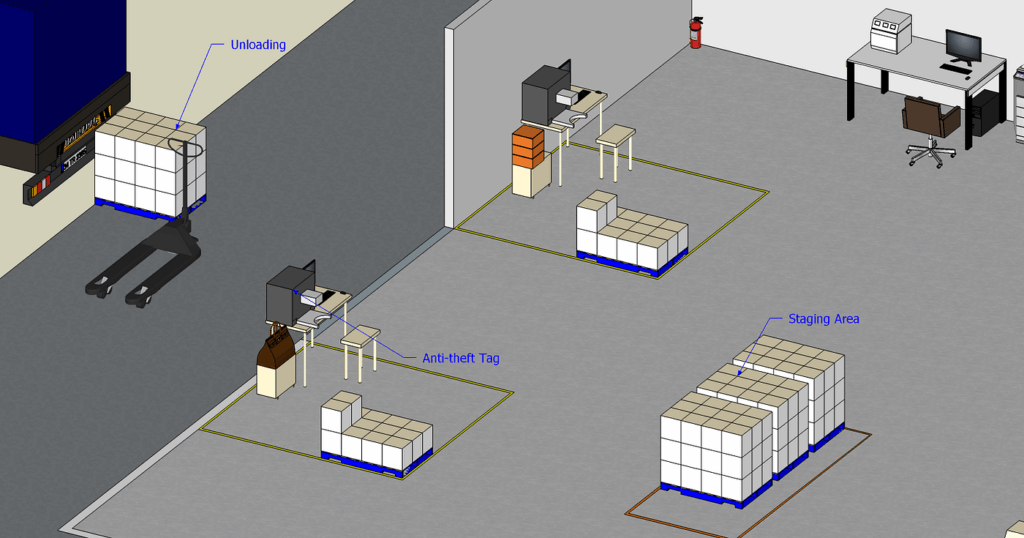
Because receiving can become a bottleneck for your distribution team, inbound operations teams are under significant pressure.
They need to receive as many boxes as possible so the inventory is updated in the system and stores can place orders.
When they receive damaged goods, the whole machine has to stop to follow a specific process:
- Damages have to be reported with detailed information
- Operators need to attach pictures of the damaged goods
For operators that have high productivity targets (boxes received per hour), this administrative charge can quickly become unmanageable.
Hopefully, we can use the computer vision capabilities of generative AI models to facilitate the process.
Inbound Damage Report Process
Let us imagine you are an operator on the inbound team at the same fashion retail company.
You received this damaged pallet.
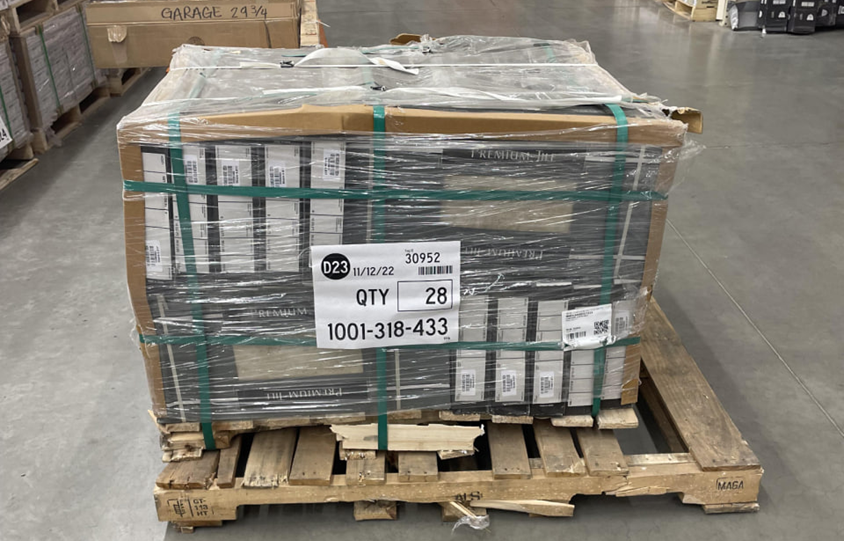
You are supposed to prepare a report that you send by email, with:
- Damage Summary: a one-sentence summary of the issues to report
- Observed Damage: details of the damage with location and description
- Severity (Superficial, Moderate, Severe)
- Recommended actions: return the goods or quick fixes
- Pallet Information: SKU or Bar Code number
Fortunately, your team gave you access to a newly deployed Telegram Bot.
You initiate the conversation with a /start command.
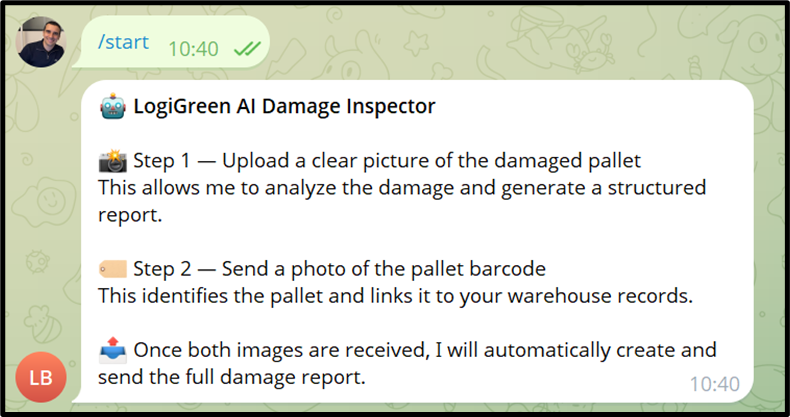
You follow the instructions and start by uploading the picture of the damaged pallet.
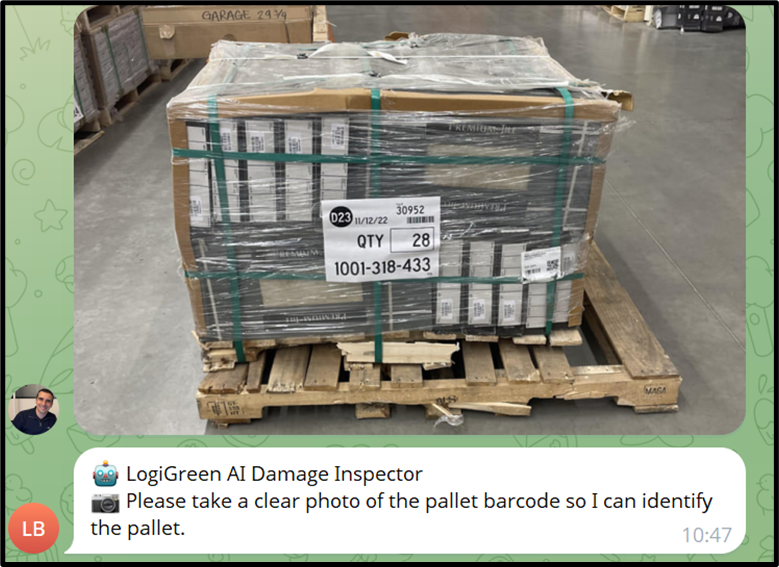
The bot then asks you to upload the barcode.
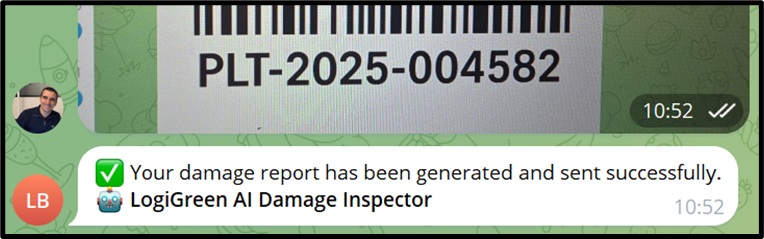
A few seconds later, you receive this notification.
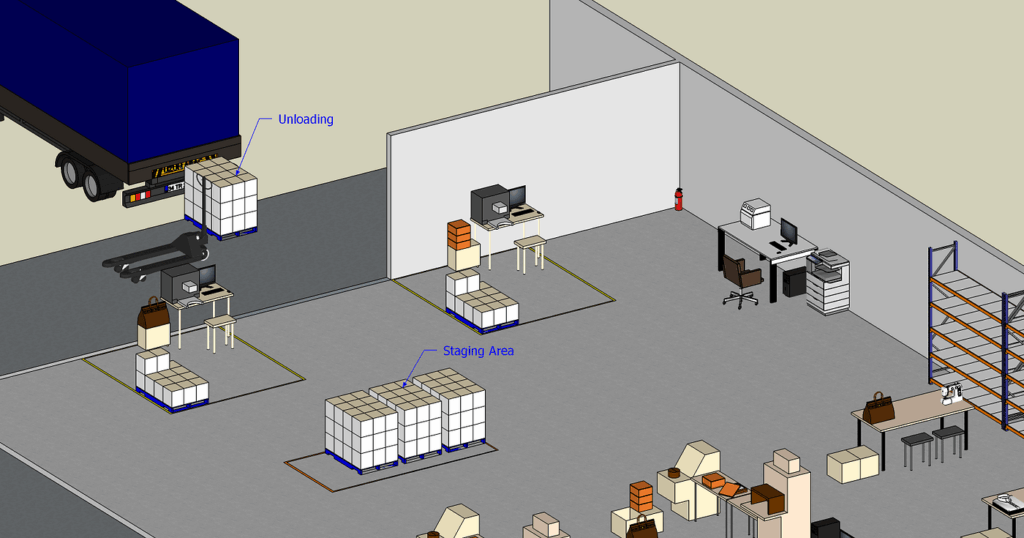
You can now transfer the pallet to the staging area.
What happened?
The automated workflow generated this email that was sent to you and the quality team.
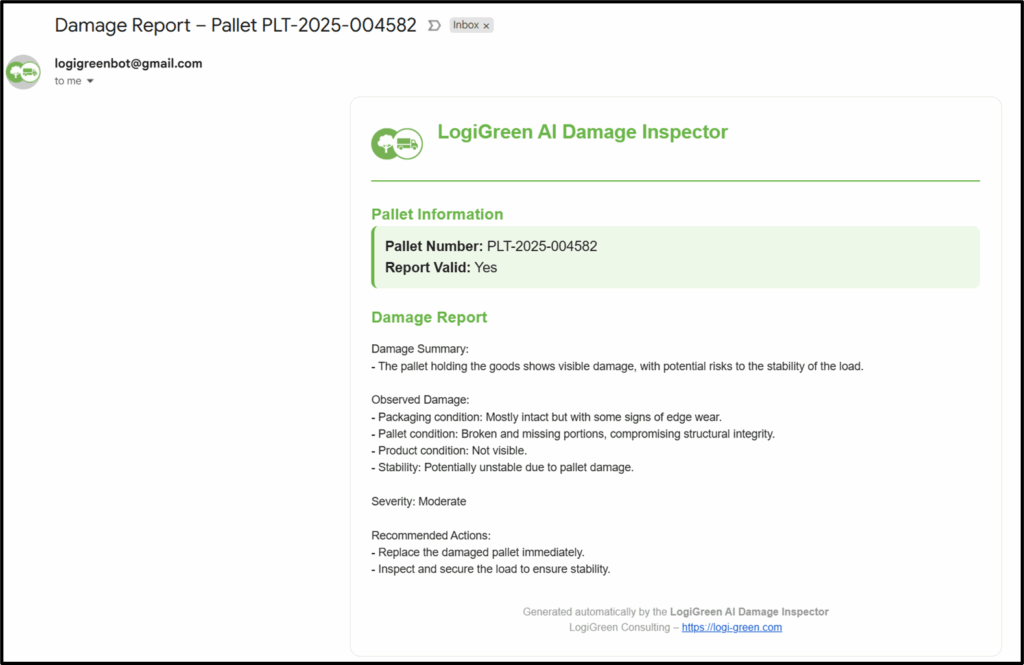
The report includes:
- Pallet ID
- Damage Summary, Observed damages and severity assessment
- Recommended actions
This was automatically generated just after you uploaded the photo and the barcode.
How does it work?
Behind this Telegram bot, we also have an n8n workflow.
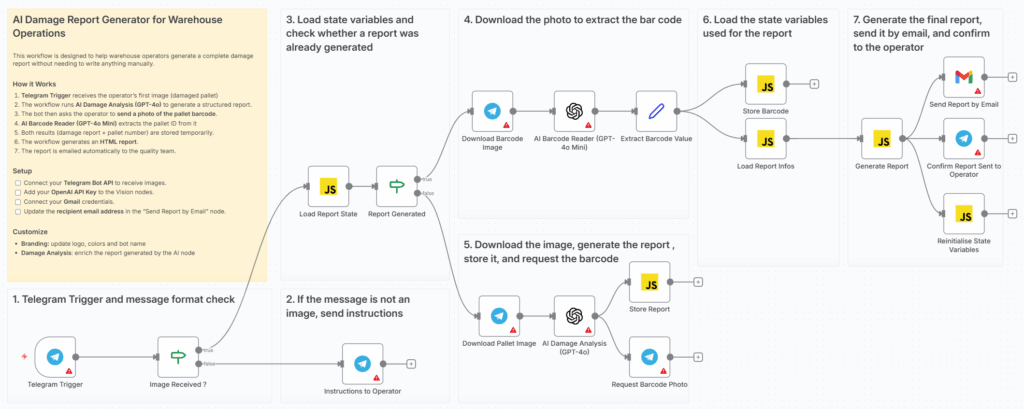
Damage Analysis with Computer Vision using n8n
Like in the previous workflow, most nodes (in red sticky notes) are used for orchestration and information collection.
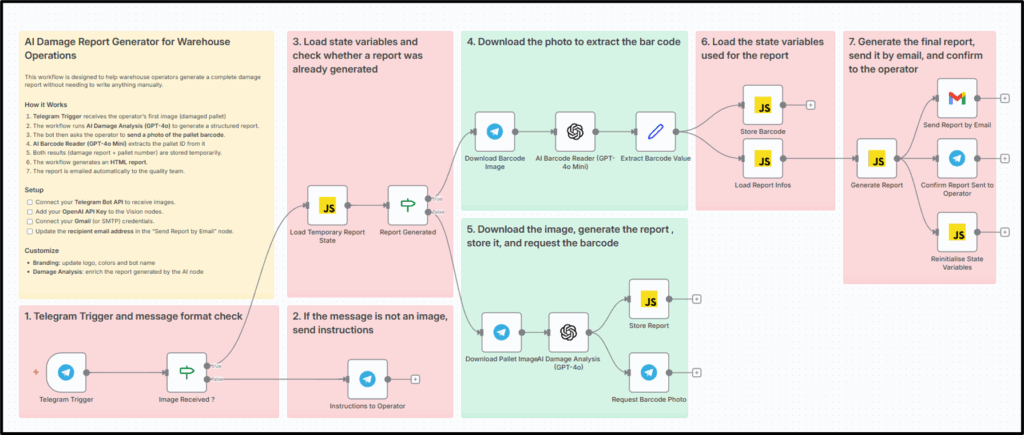
The workflow is also triggered by messages received from the operator:
- (1) and (2) ensure that we send the instruction message to the operator if the message does not contain an image
- (3) is using state variables to know if we expect to have a picture of damaged goods or a barcode
The output is sent to AI-powered blocks.
If we expect a barcode, the file is sent to section (4); otherwise, it is sent to section (5).
For both, we are using OpenAI's Analyze Image nodes of n8n.
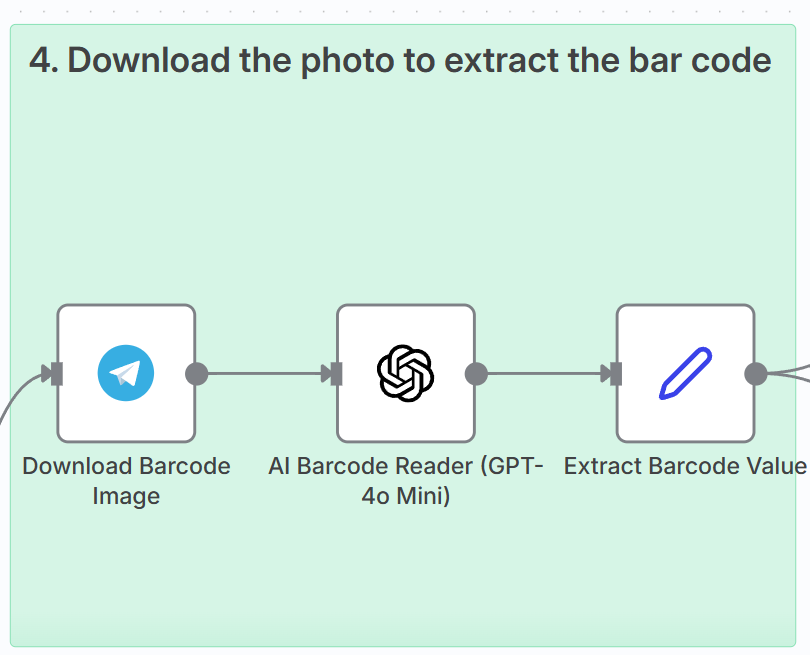
The downloaded image is sent to the image analysis node with a straightforward prompt.
Read the barcode, just output the value, nothing else.Here, I chose to use a generative AI model because we cannot guarantee that operators will always provide clear bar code images.
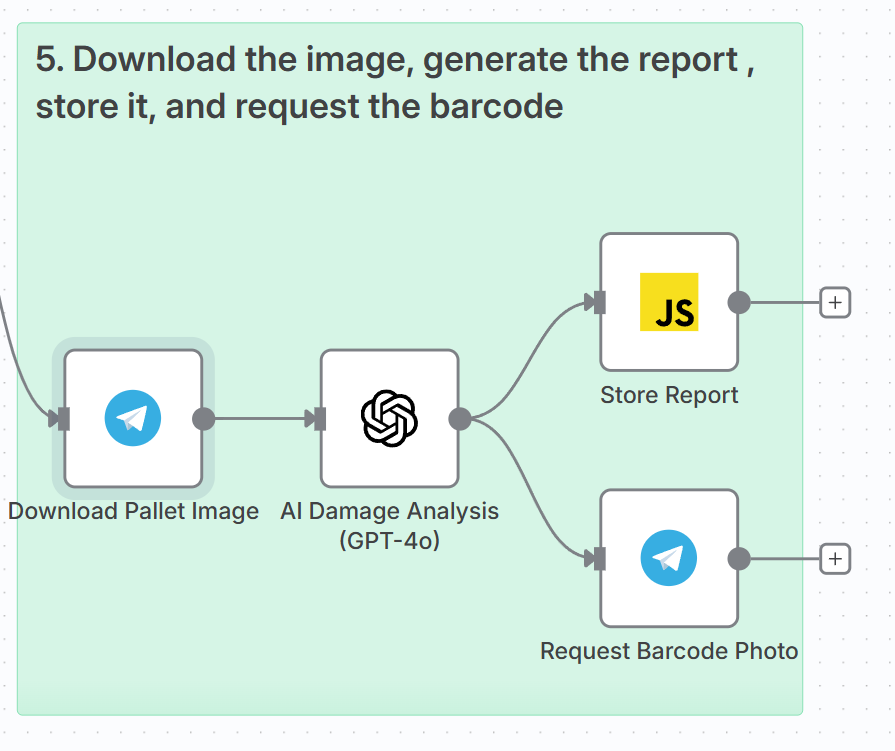
For (5), the system prompt is slightly more advanced to ensure the report is complete.
You are an AI assistant specialized in warehouse operations
and damaged-goods reporting.
Analyze the image provided and output a clean, structured damage report.
Stay factual and describe only what you can see.

Your output MUST follow this exact structure:

Damage Summary:
- [1–2 sentence high-level description]

Observed Damage:
- Packaging condition: [...]
- Pallet condition: [...]
- Product condition: [...]
- Stability: [...]

Severity: [Minor / Moderate / Severe]

Recommended Actions:
- [...]
- [...]

Guidelines:
- Do NOT hallucinate information not visible in the image.
- If something is unclear, write: "Not visible".
- Severity must be one of: Minor, Moderate, Severe.
This system prompt was written in consultation with the quality team, who shared their expectations for the report.
This report is stored in a state variable that will be used by (6) and (7) to generate the email.
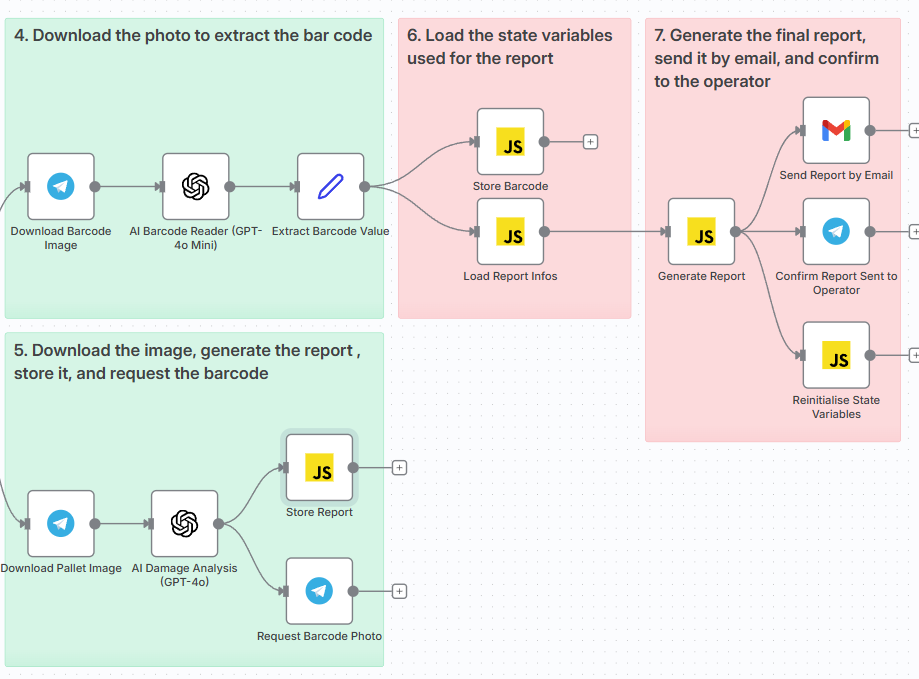
Generate Report - (Image by Samir Saci)The report includes JavaScript code and an HTML template that are populated with the report data and the barcode.
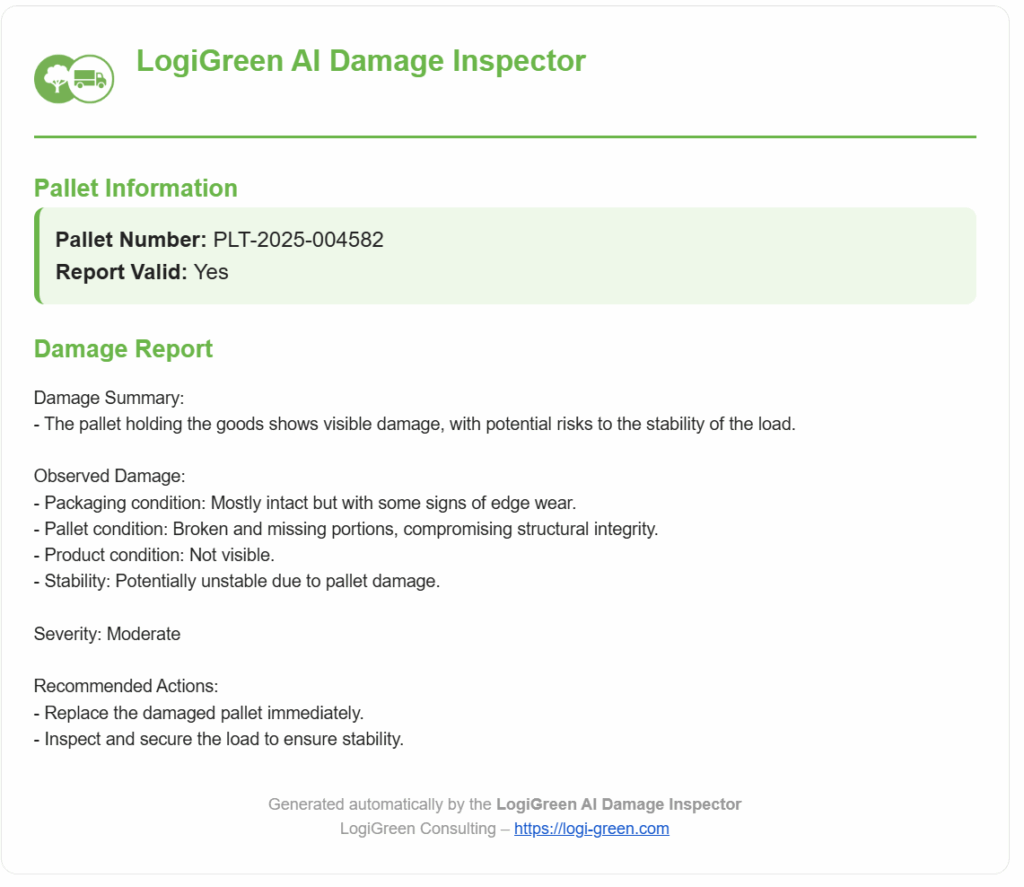
The final result is a concise report ready to be sent to our quality team.
If you want to test this workflow on your instance, you can follow the detailed tutorial (+ template shared) in this video.
All these solutions can be directly implemented in your n8n instance.
But what if you have never used n8n?
Start Learning Automation with n8n
For the beginners, I have prepared a complete end-to-end tutorial in which I show you how to:
- Set your n8n instance
- Set up the credentials to connect to Google Sheets, Gmail and Telegram
- Perform basic data processing and create your first AI Agent Node
At the end of this tutorial, you will be able to run any of these workflows presented above.
A great way to practice is to adapt them to your own operations.
How to improve this workflow?
I challenge you to improve this initial version using the Text-To-Speech capabilities of generative AI models.
We can, for instance, ask the operator to provide additional context via audio and have an AI Agent node incorporate it into the report.
Conclusion
This is not my first project using n8n to automate workflows and create AI-powered automations.
However, these workflows were always linked to complex analytics products performing optimisation like budget allocation, production planning or forecasting.
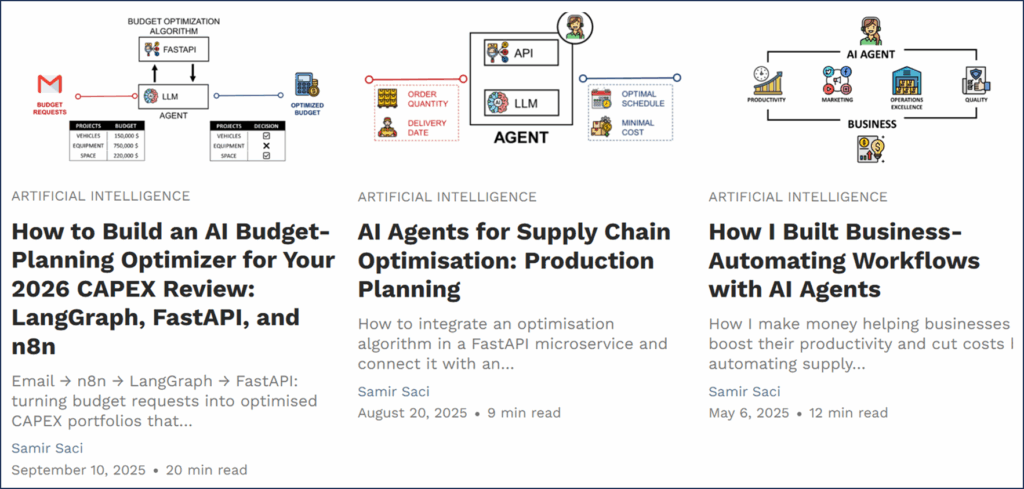
These advanced prescriptive analytics capabilities addressed the challenges faced by large companies.
To support less mature SMEs, I had to take a more pragmatic approach and focus on solving "local issues".
This is what I tried to demonstrate here.
I hope this was convincing enough. Do not hesitate to try the workflows yourself using my tutorials.
In the next article, we will explore how to use an MCP server to enhance these workflows.
Where to go next
- AI Apps for Operations: LogiGreen AI Apps is a suite of lightweight, mobile-first tools designed to solve everyday operational problems in logistics and supply
- How I Use AI to Convince Companies to Adopt Sustainability: Discover how Claude can act as a Supply Chain Sustainability Analyst and guide companies toward greener
- Supply Chain Automation with AI Agents Using n8n: Imagine automating your entire supply chain analytics workflows — without writing complex code.
Related videos
The videos behind this article, already on the channel:
- AI Automation for Supply Chain Workflows with n8n
- I Built a Warehouse App Without Writing the Front End
About Me
Let’s connect on LinkedIn and Twitter; I am a Supply Chain Engineer using data analytics to improve logistics operations and reduce costs.