How AI Can Become Your Personal Language Tutor
How I used n8n to build AI study partners for learning Mandarin: vocabulary, listening, and pronunciation correction.
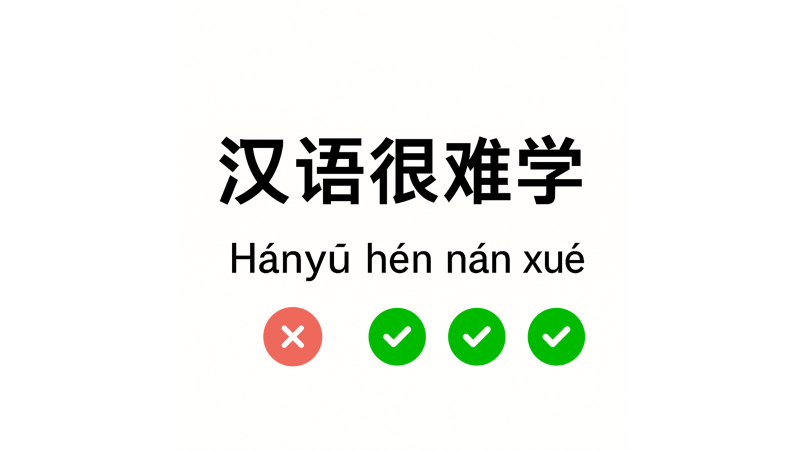
No one learns a language by passively turning pages in a textbook.
You really progress when the language talks back to you.
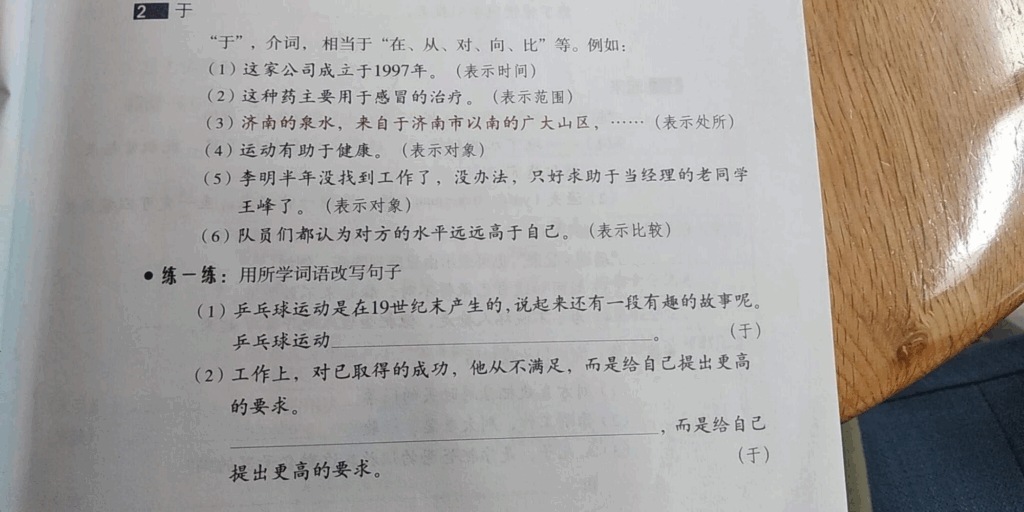
When you see images, hear real sentences, try to speak, and get feedback, everything finally clicks in your head.
In the past, you needed a teacher by your side at all times to get that kind of feedback.
Today, generative AI can play that role on your phone or computer, like an AI language tutor you can use any time.
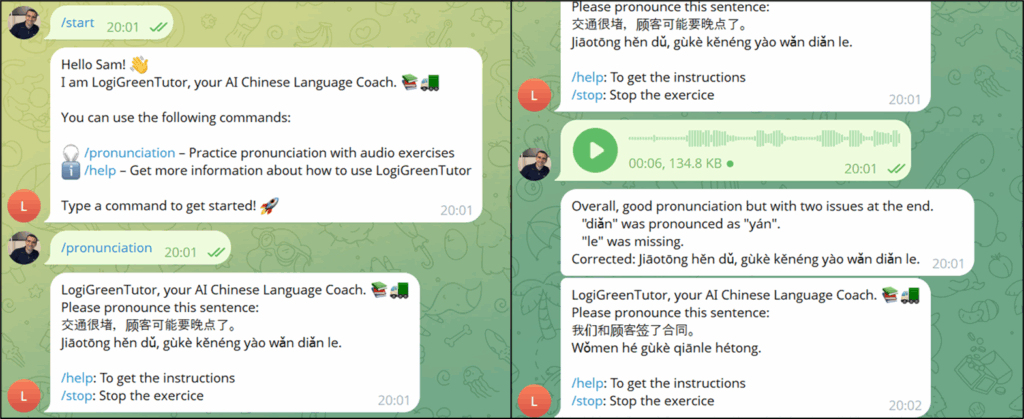
When I started learning Mandarin ten years ago, I saw many foreigners struggling to be understood by locals in everyday conversations because of poor pronunciation.
It convinced me that without good pronunciation, a rich vocabulary is useless.
I still remember sitting in my apartment in Shanghai, repeating the same sentence again and again, without anyone to correct me.
Years later, when I discovered generative AI, I remembered the engineer in China who was struggling with grammar books and tones.
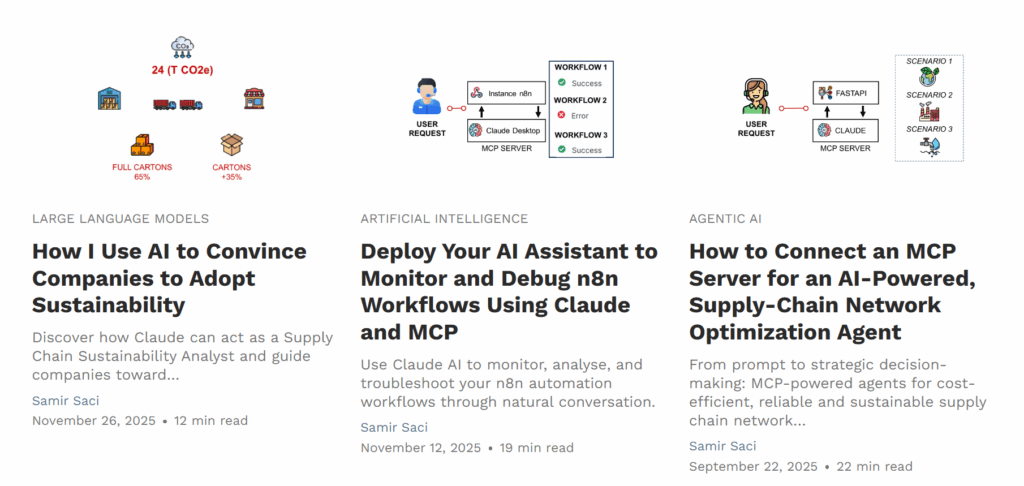
I wanted to build tools that would have helped me in the past.
As a startup founder, I do not have much free time, so I needed a way to build and test new tools quickly.
That is why I turned to n8n to build assistants that would have made my Chinese practice much easier.
In this article, I will show how I use n8n and multimodal AI to build a “study partners” for language learning that:
- Correct my pronunciation using Text-to-speech capabilities
- Create exercises to study vocabulary lists
- Generate images to illustrate words or contexts for flash-card style practice
Together, they show how AI and low-code platforms like n8n can support anyone learning a complex language.
Even with daily usage, all of these together cost less than 1 euro per month.
AI For Pronunciation And Oral Comprehension
My name is Samir, a supply chain professional who struggled with Mandarin during his six-year stay in China.
Let me introduce you to Yin, the AI-powered Language coach I developed last week.
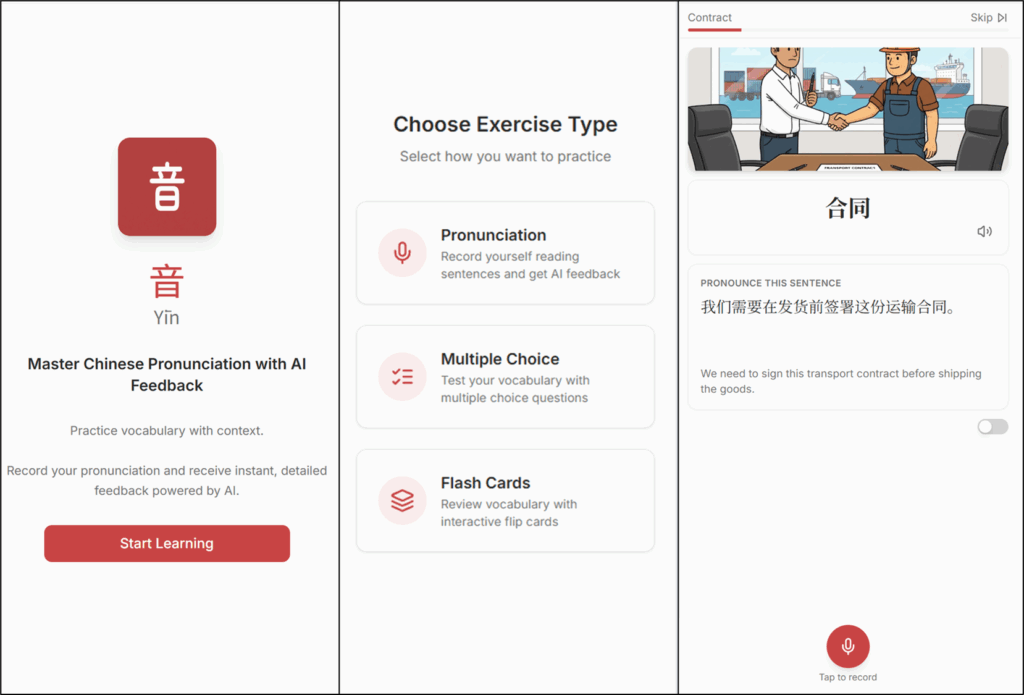
This is a web application I designed to support my Chinese learning journey after more than five years without practising.
It includes three features:
- Pronunciation Exercises
- Multiple Choice Questions (MCQ)
- Flash Cards
I will use each feature to demonstrate how I use multimodal AI to improve my reading comprehension, listening, and pronunciation in Mandarin.
Why is pronunciation in Mandarin so Important?
Let me share a real story from China to highlight the importance of using the correct tone in Mandarin.
One day, I was invited to a job interview at the largest Chinese express company, valued at billions.
The entire conversation was in Chinese.
I had carefully prepared my sentences, highlighting how I used data science to improve warehouse operations.

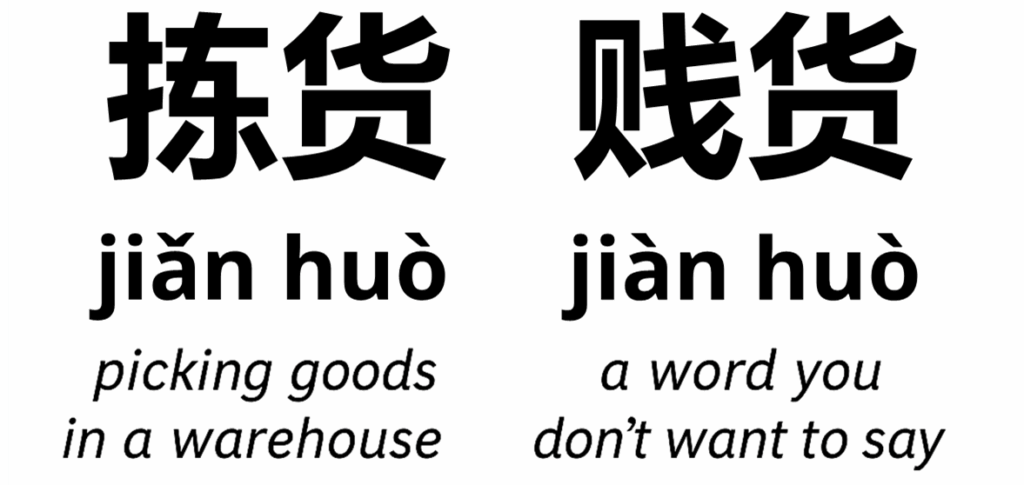
At one point, I wanted to say: “I use data science to improve picking productivity in the warehouse.”
The verb "picking” means taking goods from shelves or racks in a warehouse.

In Chinese, my colleagues used the verb 拣货 (jiǎn huò) to describe this process.
But instead of saying jiǎn huò, I said jiàn huò.
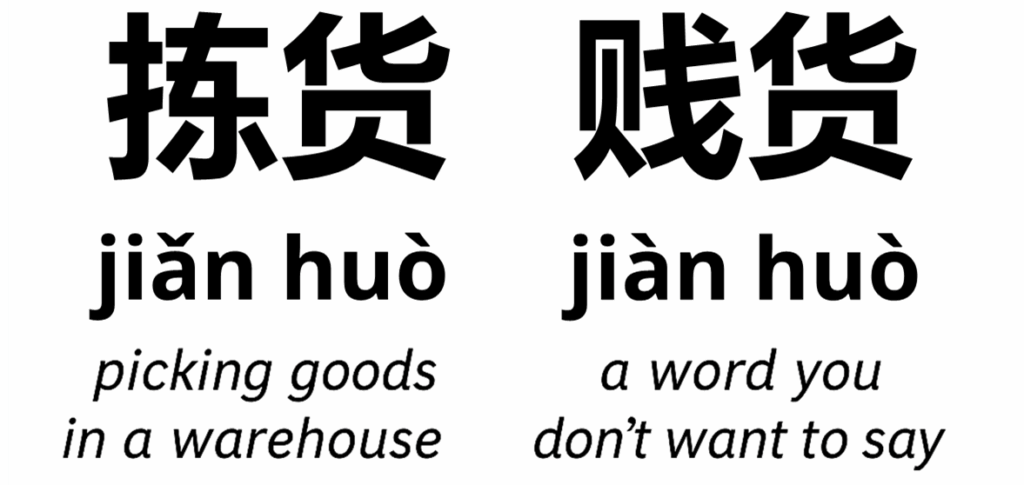
Which is a totally different word that you definitely don’t want to use in a job interview.
To keep it polite here, let’s say jiàn huò is a rude word.
The manager burst out laughing.
I didn’t understand why until I debriefed with the headhunter later and repeated the sentence for her.
That moment taught me that pronunciation in Chinese isn’t just about sounding natural.
You can know thousands of words, but if your tone is wrong, people won’t understand you.
This is why the first feature of my app is an AI pronunciation coach.
Using Speech-to-Text Recognition to Practise
Using speech-to-text and reasoning, the app listens to what I say, compares it with the target sentence, and gives feedback on which tones or syllables were off.
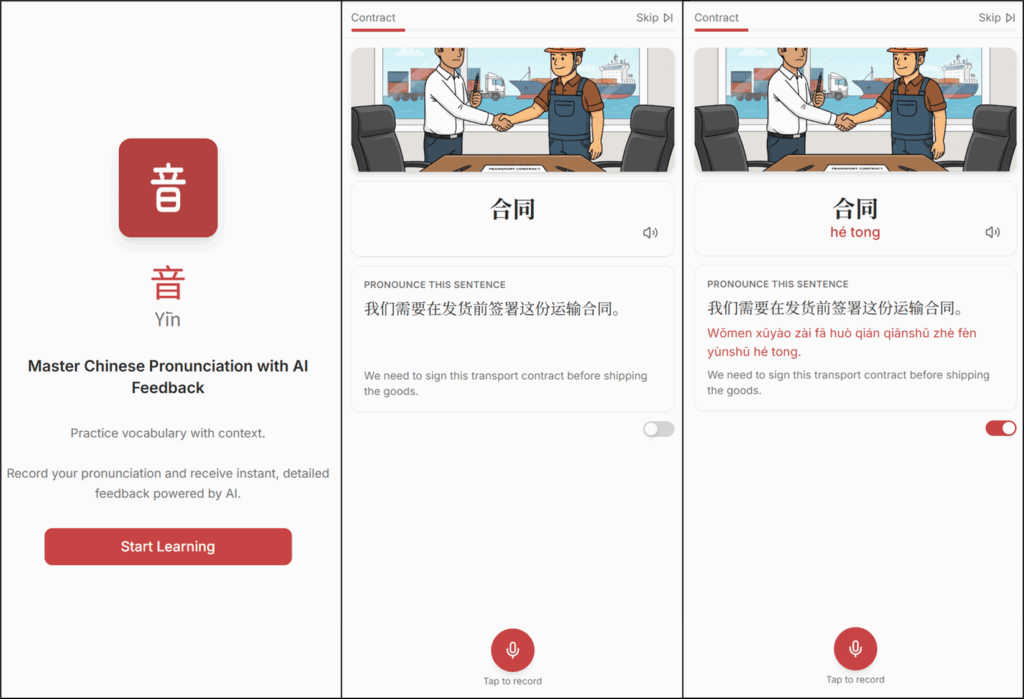
The focus here is on improving my pronunciation of logistics and supply chain terms (my field of expertise).
For each word, we have:
- The word in Simplified Mandarin Characters: 合同
- The sentence used to practise my pronunciation: 我们需要在发货前签署这份运输合同。
- The English translation: We need to sign this transport contract before shipping the goods.
For beginners, we can even add phonetics (Mandarin pinyin) using the toggle.
How to practice pronunciation?
I just have to press the mic button at the bottom to record my sentence.
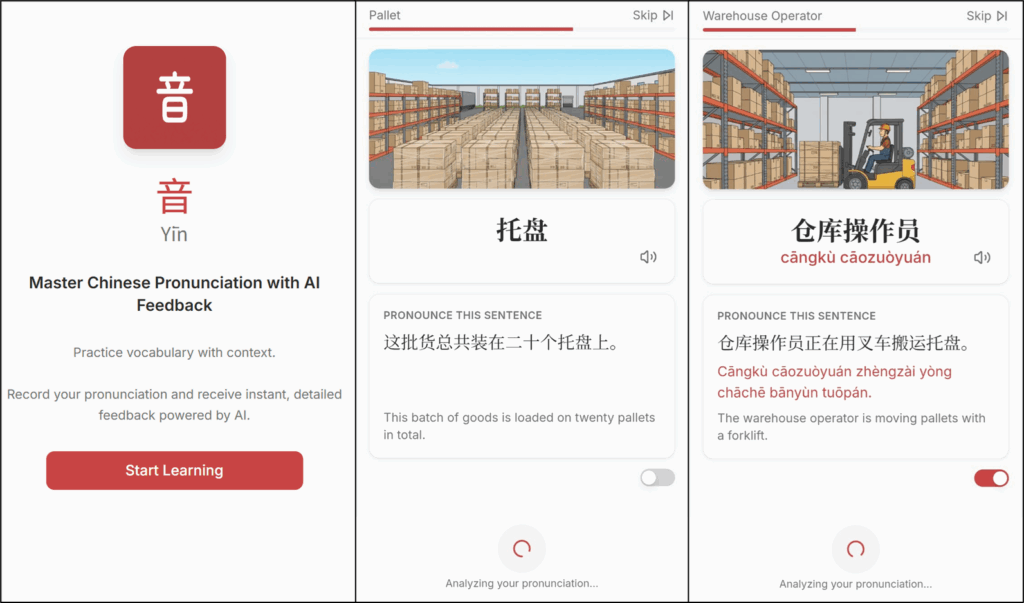
The recording is automatically sent to the backend for analysis that compares my pronunciation with the correct one.
A few seconds later, I received my feedback.
The feedback is quite detailed; it focuses on the words that you mispronounced.
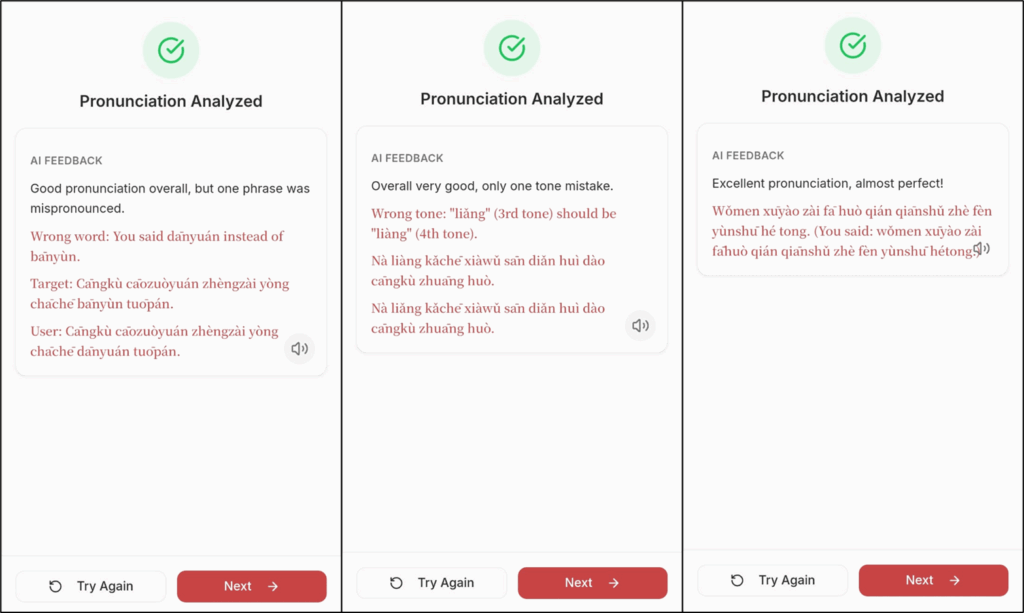
It’s nearly like having a personal teacher correcting me in real time, except this one never gets tired.
Of course, this won't replace a great teacher in a one-on-one lesson, but it can help you to practise after classes.
When I started learning Mandarin, I used to spend evenings (after work) alone, repeating simple sentences to familiarise myself with the nuances of tones.
I did not have a feedback loop at the time; this tool would have been very helpful.
How does it work?
Text-to-speech and reasoning capabilities of GenAI
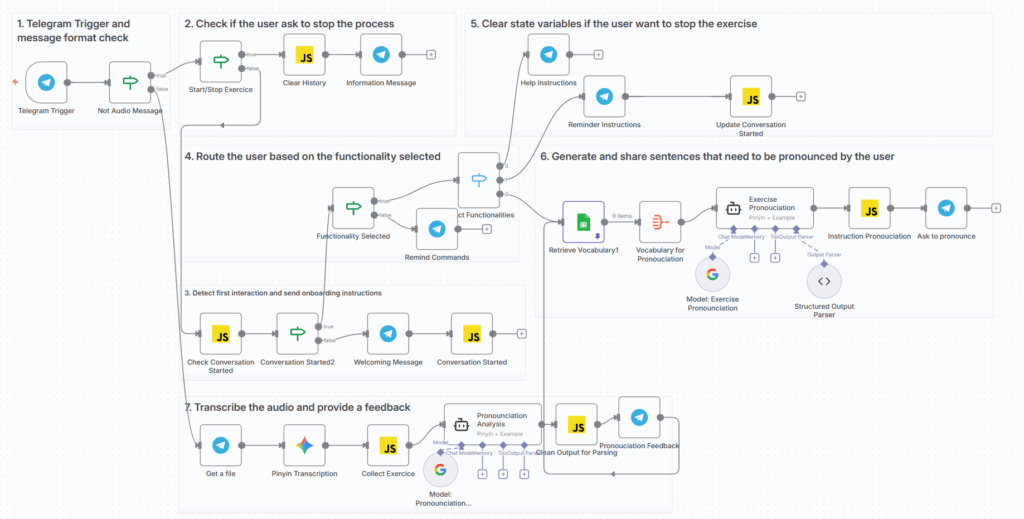
The backend is a simple n8n workflow connected to the frontend via a webhook.
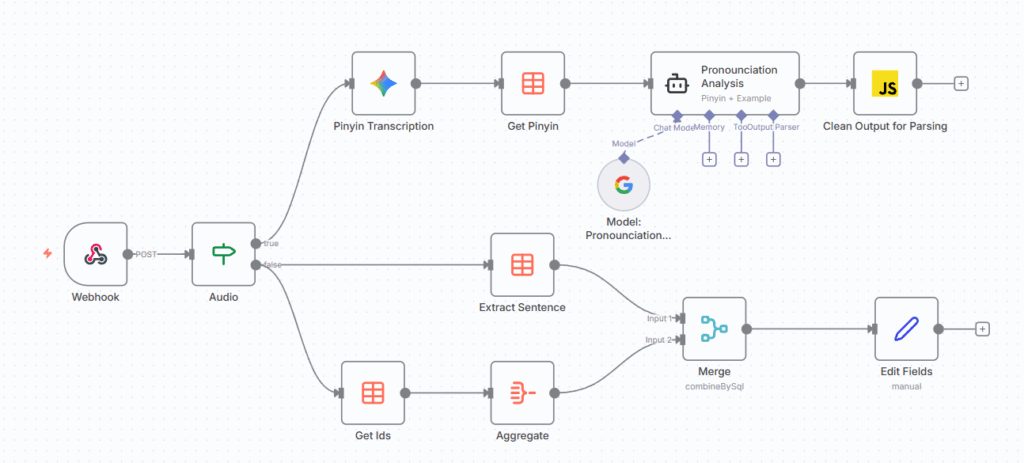
The text-to-speech capabilities are used to transcribe the audio file sent by the front end into phonetics (pinyin).
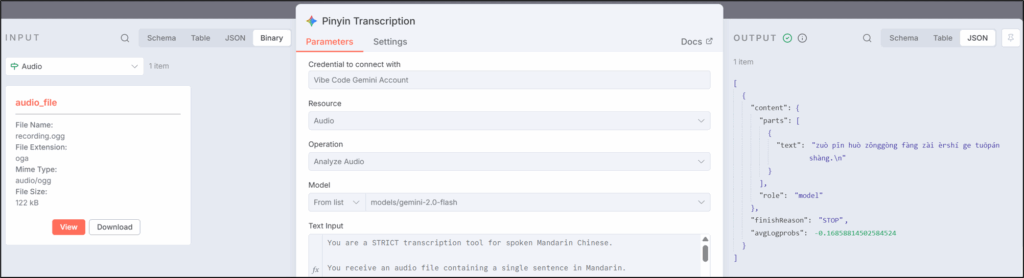
The output of this Gemini audio transcription node includes the phonetics:
[
  {
    "content": {
      "parts": [
        {
          "text": "zuò pǐn huò zǒnggòng fàng zài èrshí ge tuōpán shàng.\n"
        }
      ],
      "role": "model"
    },
    "finishReason": "STOP",
    "avgLogprobs": -0.16858814502584524
  }
]
This pinyin is then sent to the AI node Pronounciation Analysis along with the target pronunciation.
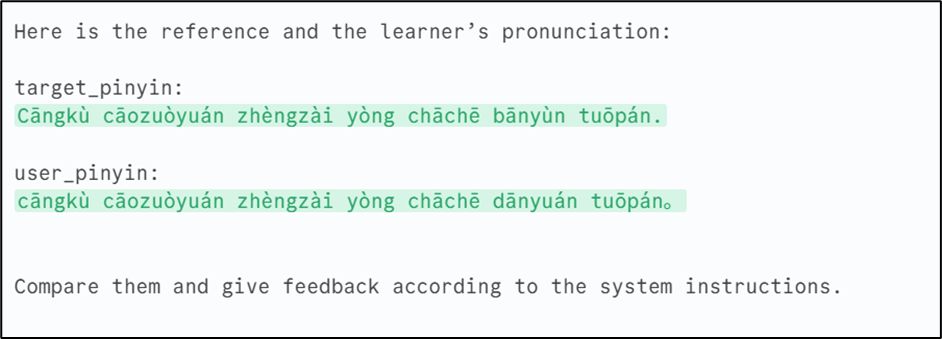
In this example, I mispronounced the penultimate word.
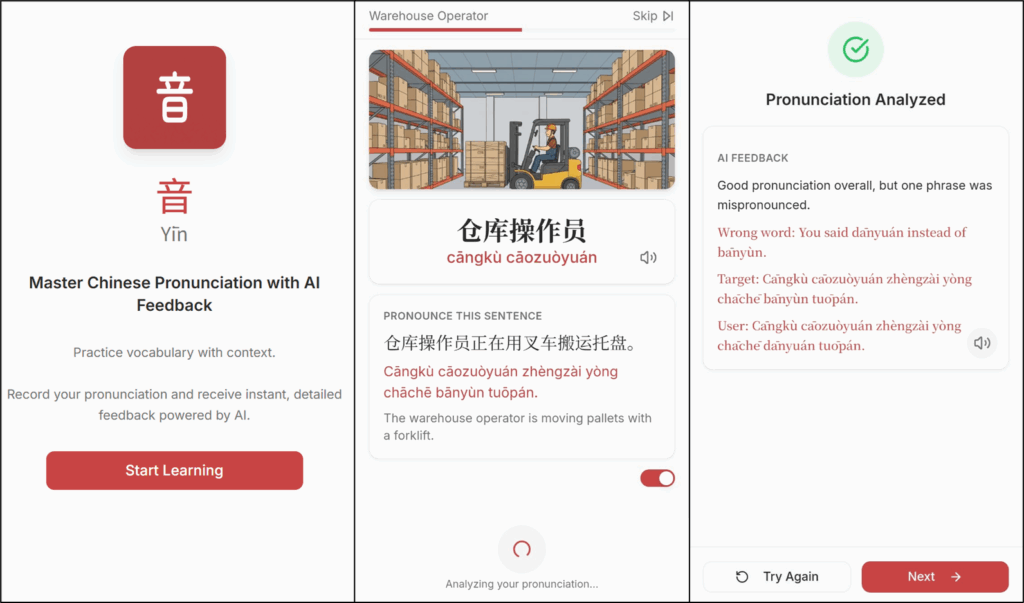
This is precisely what the agent mentioned in his feedback.
This shows how we can use text-to-speech capabilities, combined with the reasoning of generative AI models, to improve our pronunciation.
This can be adapted to any language.
What about image generation and speetch-to-text?
Generative AI for Content Generation
If you observe the user interface of the application, you notice that each word has:
- An illustrative Image
- A sentence for the context
- Audio transcription available via the microphone icons
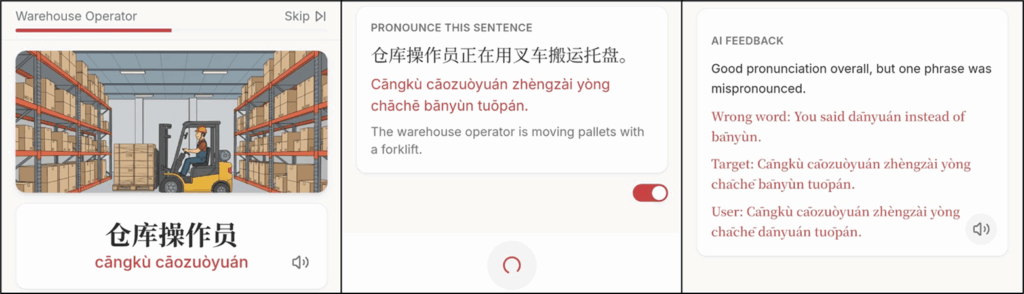
This content is generated using AI models to provide a variety of teaching materials for the second feature: flashcards.
Text-to-Speech Solutions
A great way to practise pronunciation is to listen and repeat.
Therefore, before recording my sentence, I can learn how to pronounce the word using this first speech-to-text feature.
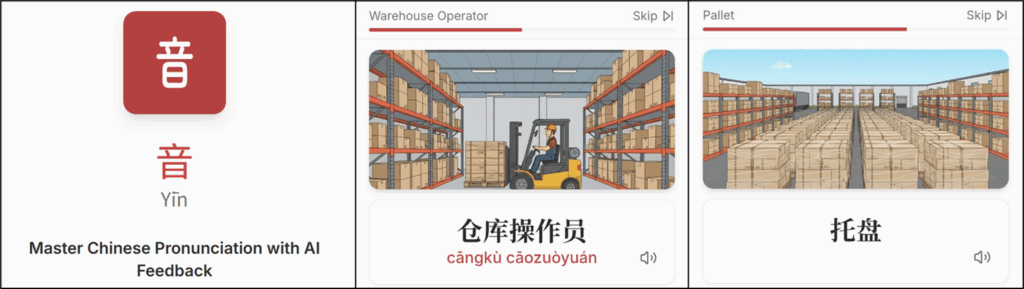
For this, I use Google's Text-to-Speech API as it is pretty convenient and free.
from gtts import gTTS

def generate_speech(text: str, lang: str):
   filename = f"{uuid4().hex}.mp3"
   filepath = f"./data/gtts/{filename}"

   tts = gTTS(text=text, lang=lang)
   tts.save(filepath)
With a couple of lines of code, you can generate the text-to-speech of any word using the proper language code.
This is exactly what I used in the tool to generate flashcards that I presented on this blog three years ago.
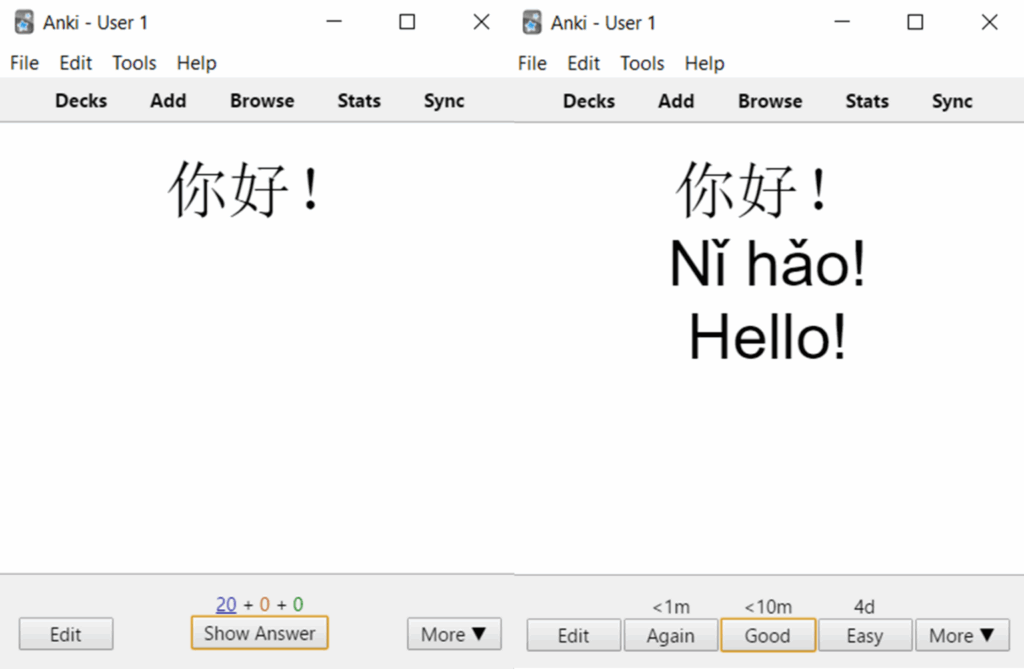
The idea at the time was to improve my listening comprehension by adding audio to the flashcard answers.
What about long sentences?
The problem with Google Text-to-Speech is the robotic voice.
Fortunately, we have eleven labs.
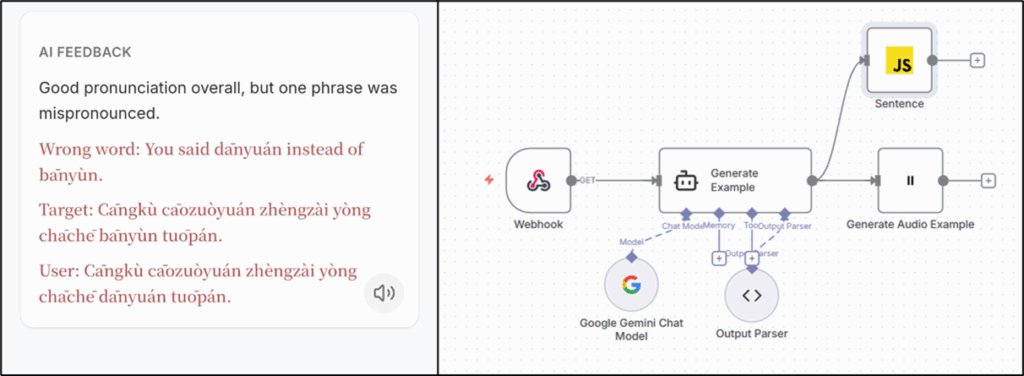
The workflow above is connected to the app via webhook.
The Eleven labs node that takes the output of the AI Agent Generate Example to generate the audio version of the sentence.
The user can now listen to the sentence pronounced "like" a native speaker.
What is remaining? Questions and illustrations ...
Teaching material generation
As explained in the previous section, the sentences are also generated using AI.
The AI Agent node, powered by Gemini, takes the word to study as input and uses the system prompt below to generate a sentence.
You are a Chinese language tutor for professionals.

Given a Chinese word, you MUST return a JSON object with EXACTLY these keys:
- "sentence": a short Chinese sentence using the word in a business or
   daily-life context
- "pinyin": the pinyin of the full sentence
- "english": the English translation of the sentence

Return ONLY valid JSON. No explanations, no backticks, no extra text.

Example:
{
  "sentence": "我去仓库检查货物。",
  "pinyin": "Wǒ qù cāngkù jiǎnchá huòwù.",
  "english": "I go to the warehouse to inspect the goods."
}
That ensures a nearly infinite variety of exercises.
And the cherry on the cake is the image generated with Gemini's Nano Banana to help us connect a word to its context.
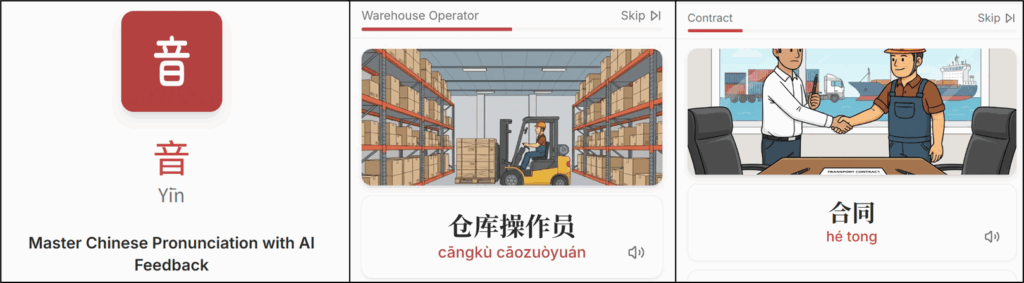
After learning thousands of Chinese characters, I noticed that images help with memorising new words.
This is precisely what I use in the flashcards feature.
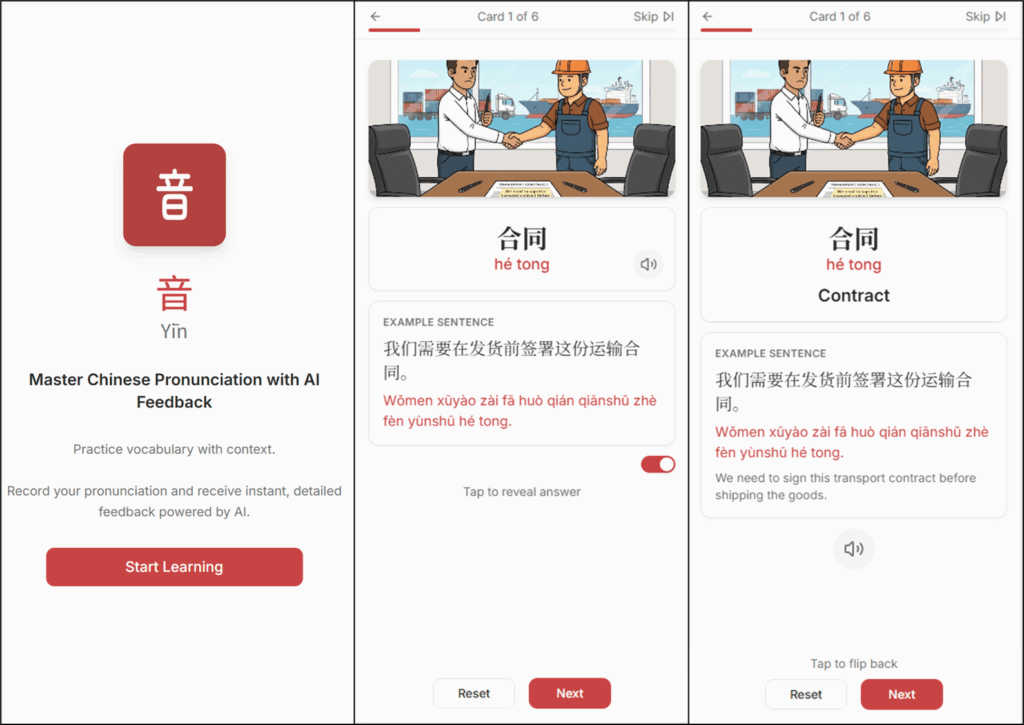
The n8n backend provides to the front-end:
- The word in Chinese that you want to learn with pinyin and English translation
- An example sentence and its translation generated by GPT
- An illustrative image generated by Gemini
The front end then manages the card-flipping mechanism.
If you want to recreate this solution tailored for your needs, I have shared a similar workflow on my GitHub.
Do you like multiple-choices questions? Gen AI can help!
Generate Exercises from a vocabulary list
For the last feature, we generate multiple-choice questions to learn the same vocabulary list.
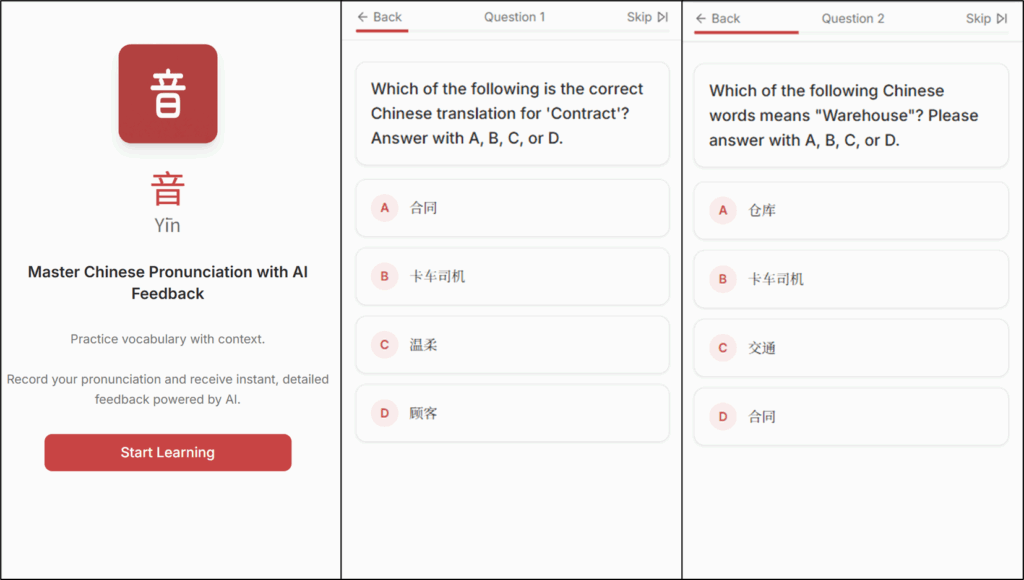
We ask Gemini to generate questions from the vocabulary list, using multiple-choice options with only one correct answer.
[
  {
    "output": {
      "question": "Which of the following is the correct Chinese translation for 'Variable Pricing'? Please answer with A, B, C, or D.",
      "options": {
        "A": "仓库",
        "B": "可变定价",
        "C": "卡车司机",
        "D": "投标"
      },
      "correct": "B",
      "right_feedback": "Great job! 可变定价 (kě biàn dìng jià) means Variable Pricing.",
      "wrong_feedback": "Oops! The correct answer is B: 可变定价 (kě biàn dìng jià), which means Variable Pricing."
    }
  }
]
The front-end uses this output to provide the questions with adapted feedback.
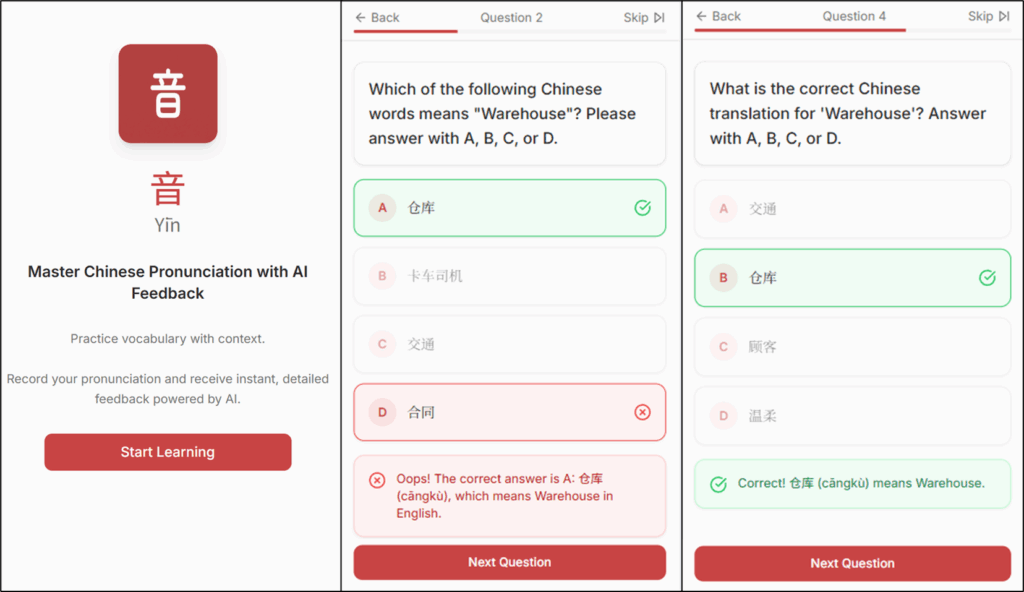
The backend of this feature is based on an n8n workflow that I also shared on my GitHub: AI-Powered Language Teacher using GPT.
Conclusion
I developed this app to experiment with how AI could enhance my learning capabilities.
After nearly five years without speaking Chinese, this multimodal AI assistant has proven to be a great help.
As I do not have time to commit to in-person Chinese classes, I can have an assistant who will adapt to my schedule.
Can we do better?
On the "roadmap" of this small side project, I have:
- Adding complex grammar exercises that could be done orally (combining reading comprehension, grammar and pronunciation)
- Implementing a writing module that would correct my calligraphy using image processing
Depending on my availability, I will aim to ship it by Q1 2026.
About Me
Let’s connect on LinkedIn and Twitter; I am a Supply Chain Engineer using data analytics to improve logistics operations and reduce costs.
For consulting or advice on analytics and sustainable supply chain, feel free to contact me.